Design System
Role
UI Designer
Date
07/2024-11/2024
Department
Masonite R&D - Digital
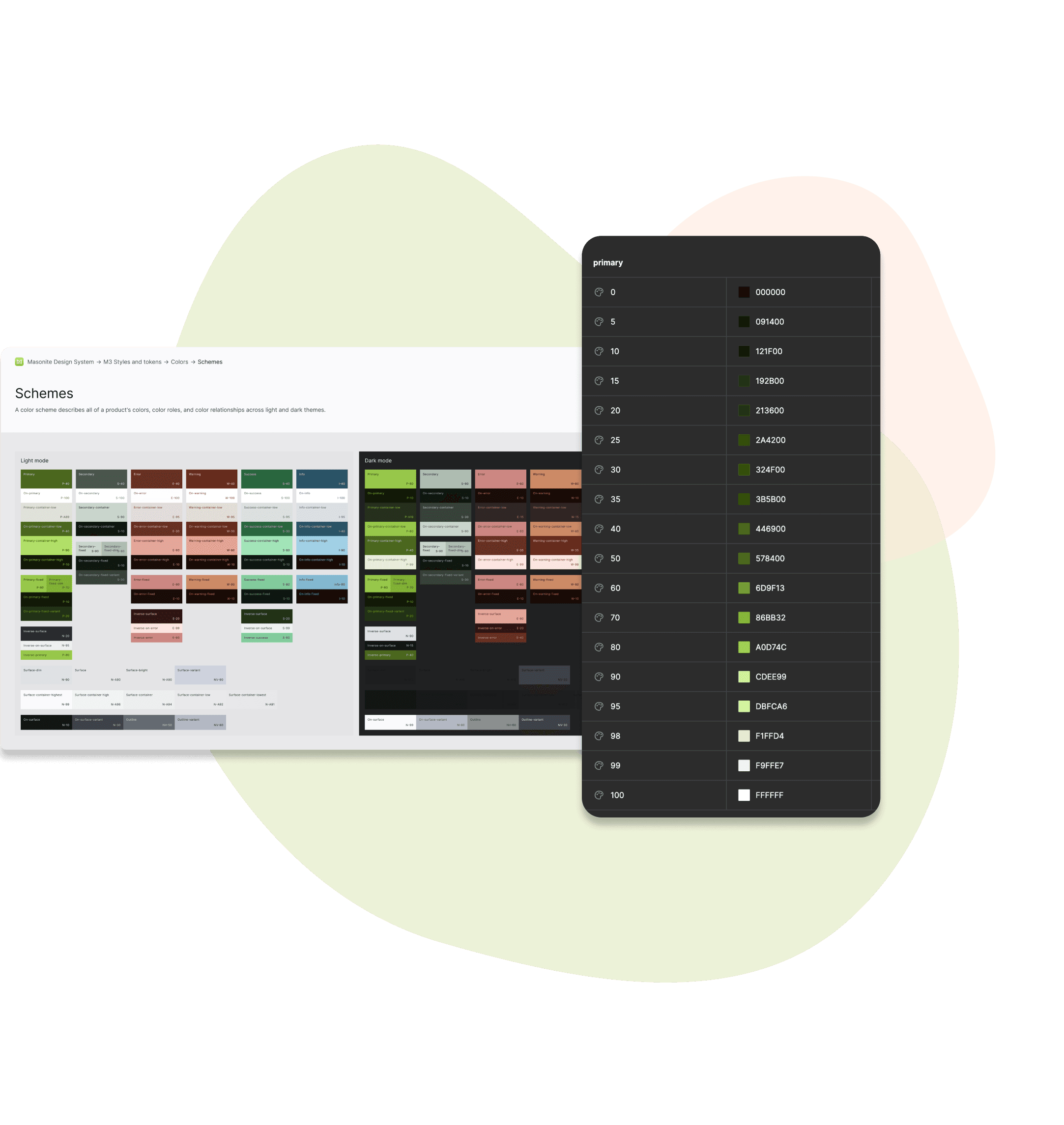
Integrating dark mode to Masonite design system based on Material 3

Team

Tatiana Kerick
UI/UX designer II

Ryan Parage
Senior UX/UI designer

Claire huang
User Experience Designer
Project Overview
01 | Objective
My goal was to update M-pwr consumer App & Tablet with dark mode to improve accessibility. To achieve this, I updated color themes and illustrations with dark mode to the current design system based on M3.
02 | Roles & Responsibility
I was the UX/UI designer within a cross-functional team. I am responsible for defining the color relationship across light and dark themes to ensure the dark mode is accessible across devices.
04 | Outcomes & Impact
I updated styles and color variables to the library with dark themes; designed the dark mode view of M-pwr consumer App & Tablet
03 | Challenges
I encountered a lot of challenges during this process as I am new to M3 and dark themes, including: picking the right color, maintaining contrast and accessibility, and making sure every elements adapts correctly.
How might we integrate dark themes to Masonite design system based on Material 3 to support dark views of M-pwr consumer App and Tablet?
Problem Statement
Learning basics of M3 design system and dark theme principles
When I started, I had no idea how to navigate through the components within our current library. Luckily many great companies like Apple and Google’s design systems are public for me to learn from. Since Masonite’s design system is based on Material 3, I researched deeply into the M3 guidelines, consistently ask questions to the senior designers and front-end engineers. What really helped me level up was incorporating Atomic Design principles. More than that, I conducted a thorough investigation of the dark theme principles with focus on color roles, accessibility rules, and surface overlay etc.
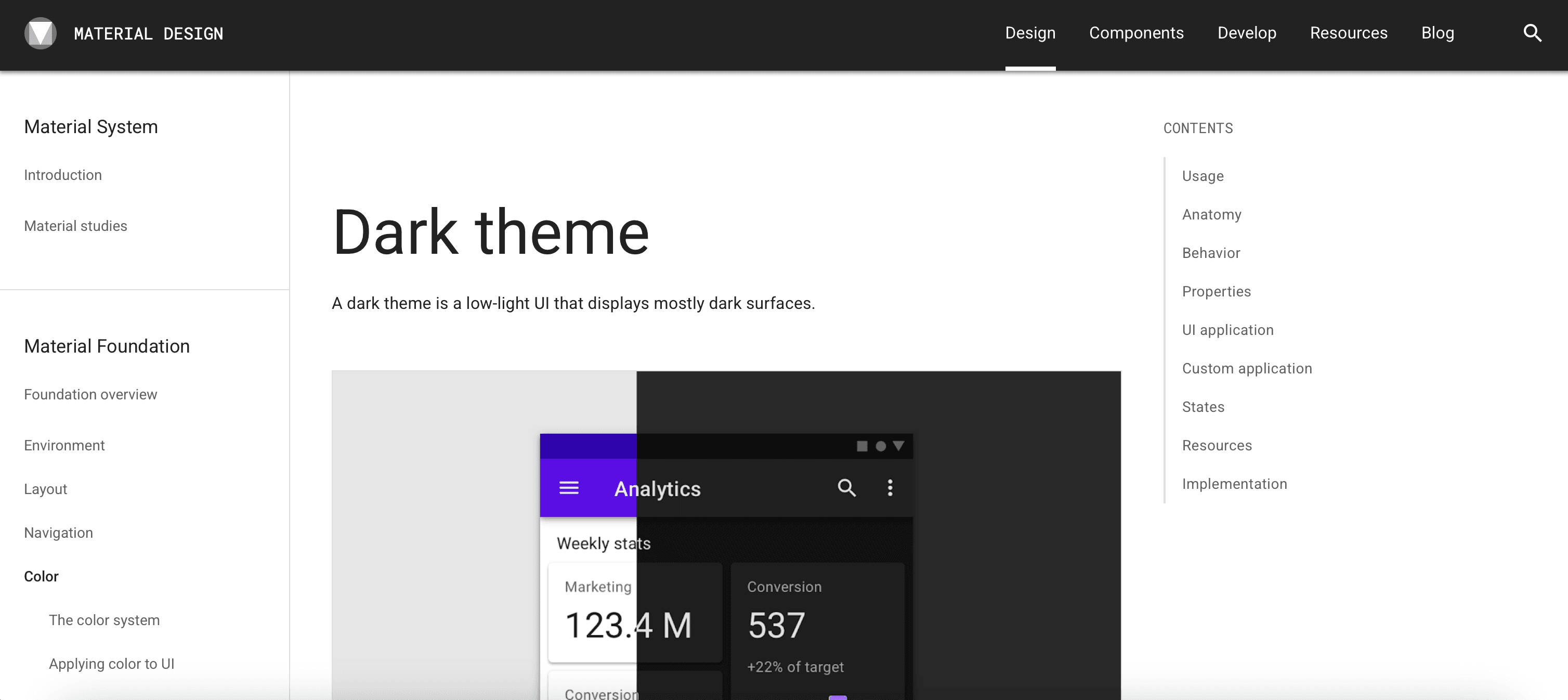
Material Design 3 Dark Theme Guideline
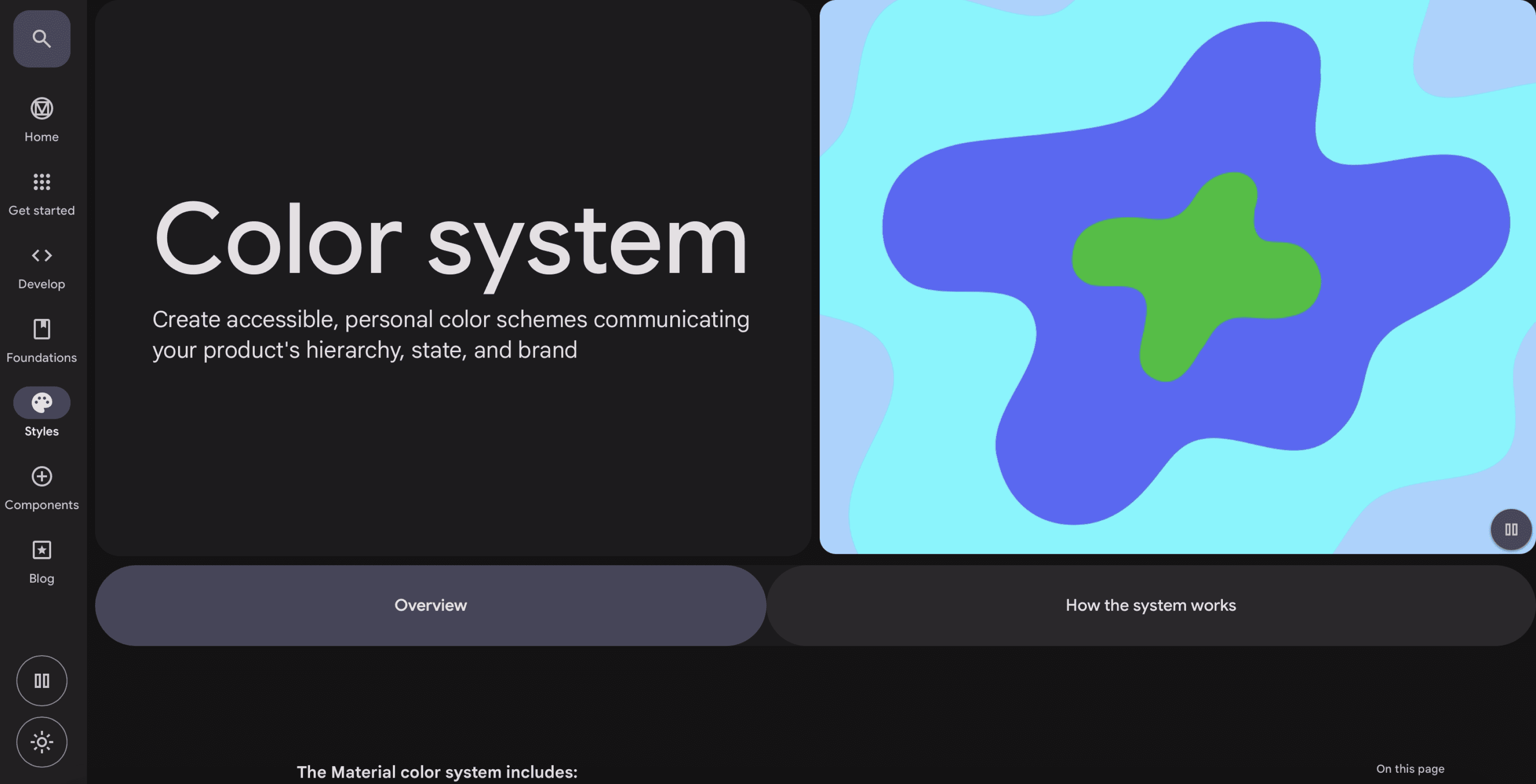
Material Design 3 Color System
Research
Keeping it simple yet scalable with tokens
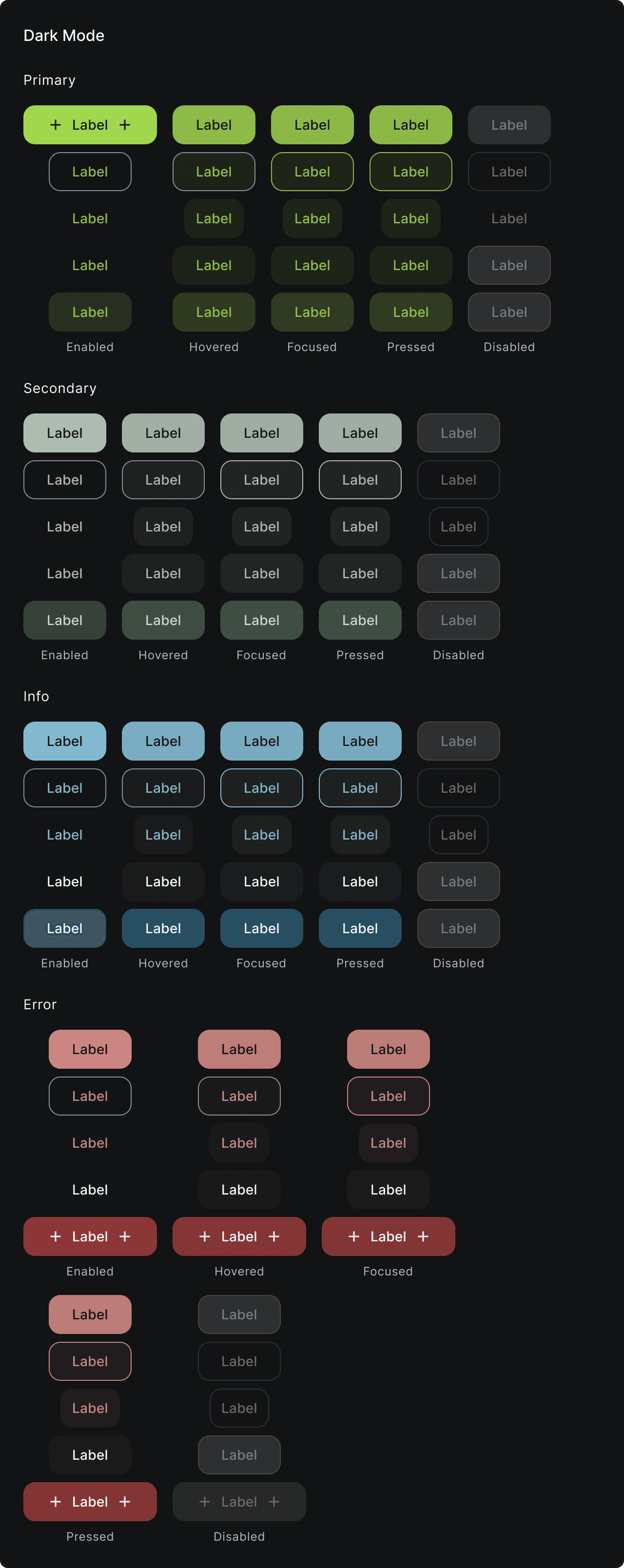
After an agreement is achieved upon color schemes and tokens are created, I applied the dark theme colors to the M3 mobile components which would be used to design the dark theme of M-pwr App & Tablet. What helped me keep elements scalable was sticking to atomic design principles, using nested components, and using component properties to simplify variants.
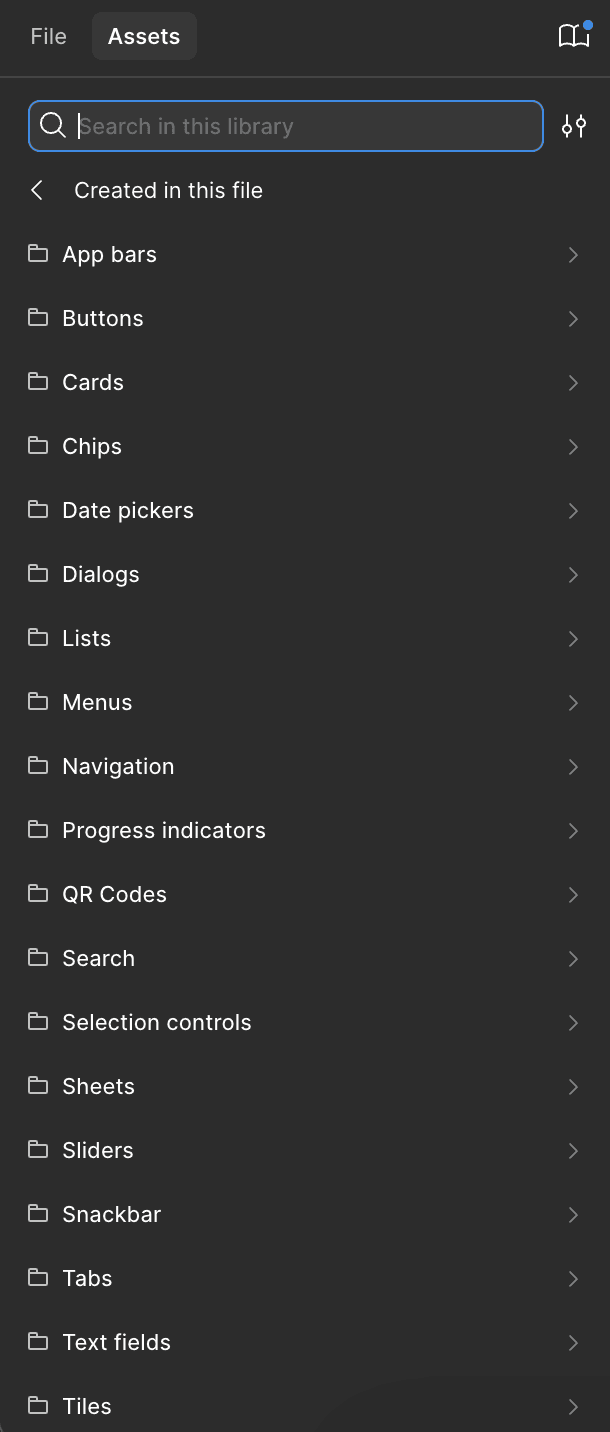
M3 Mobile Component - Asset
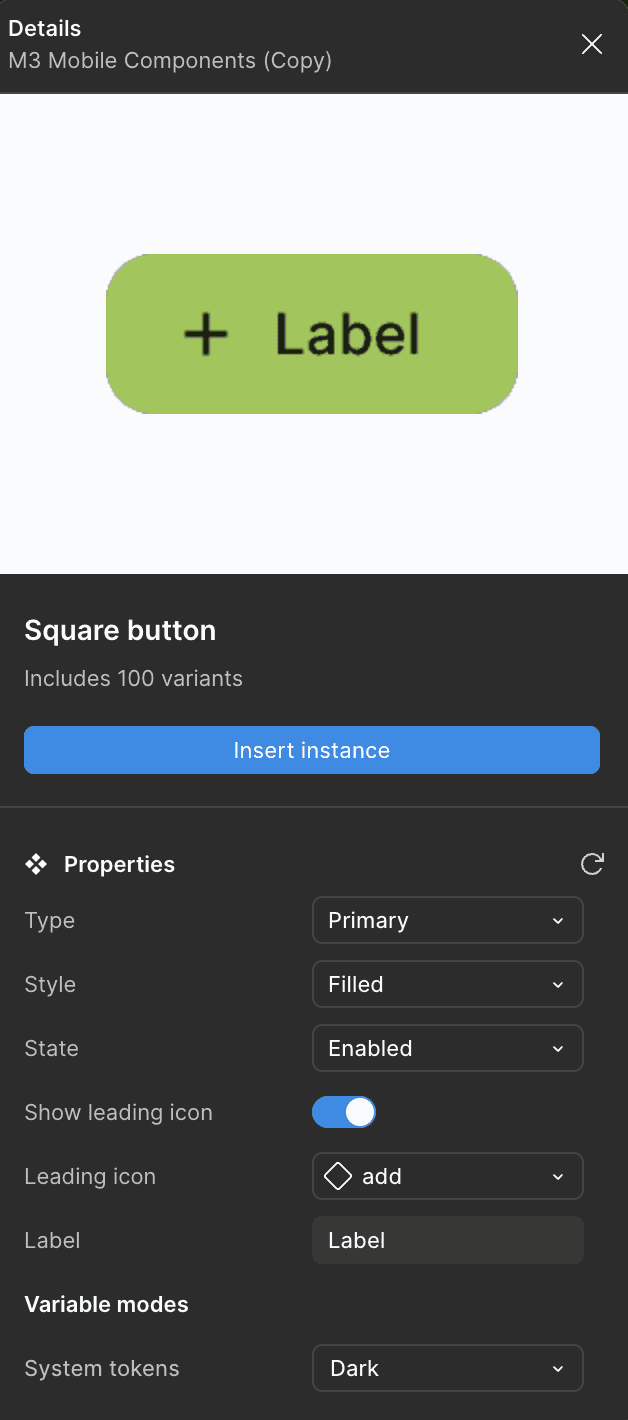
M3 Mobile Component - Asset - Button - Details
M3 Mobile Component - Button - Dark Mode
Apply styles to Mobile components
The Problem? No dark mode on M-pwr consumer App & Tablet
M-pwr consumer App & Tablet is a companion tool that helps control a powered smart exterior door. Its initial launch in early 2023 only contains light mode for its design. With the goal to improve accessibility for users during nighttime, digital team initiated the iteration to update M-pwr consumer App & Tablet with dark mode.
M-pwr App & Tablet in App Store
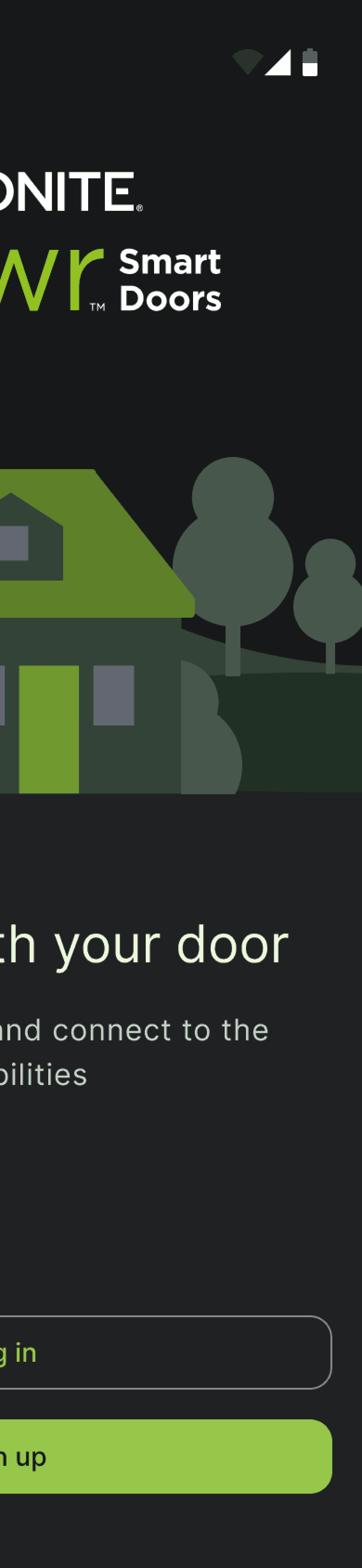
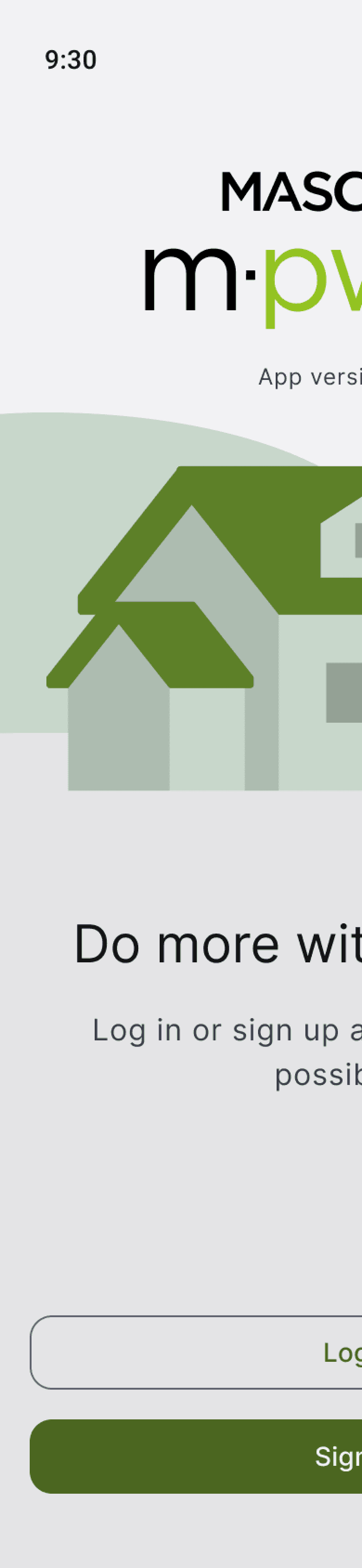
Light Mode VS. Dark Mode on M-pwr Mobile App
Discovery
I started with creating a style guide for the design system. Luckily for us this one had already been started for light mode. All I needed to do was implement new changes or elements that describe dark themes to the system and link the existing style guide to apply new designs. Overall, my approach is described as below:
Research M3 Dark Theme Principles
Apply the rules to the current M3 styles
Test with front end designer
Update M3 Mobile Component
Apply to design dark theme M-pwr Consumer App & Tablet
The Approach
UI Application
Color Schemes
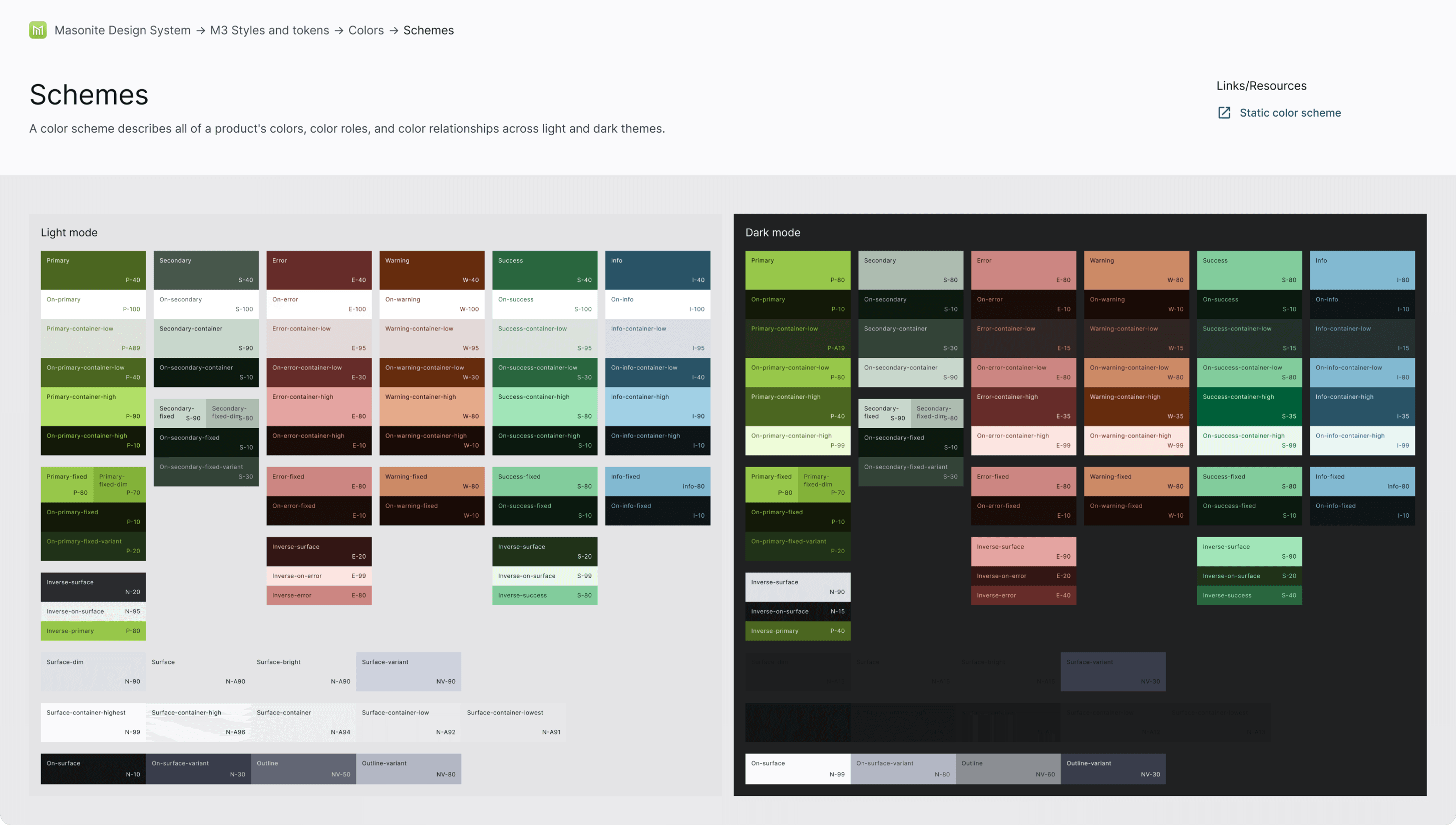
After a thorough deep-dive to M3 guideline and dark theme principles, I started with building the color scheme for dark theme. A color scheme describes all of a product's colors, color roles, and color relationships across light and dark themes. Starting with the light mode colors and tonal palettes as created by my colleagues, I defined each corresponding colors with dark themes, including primary, secondary, error, warning, success, info, and surface.
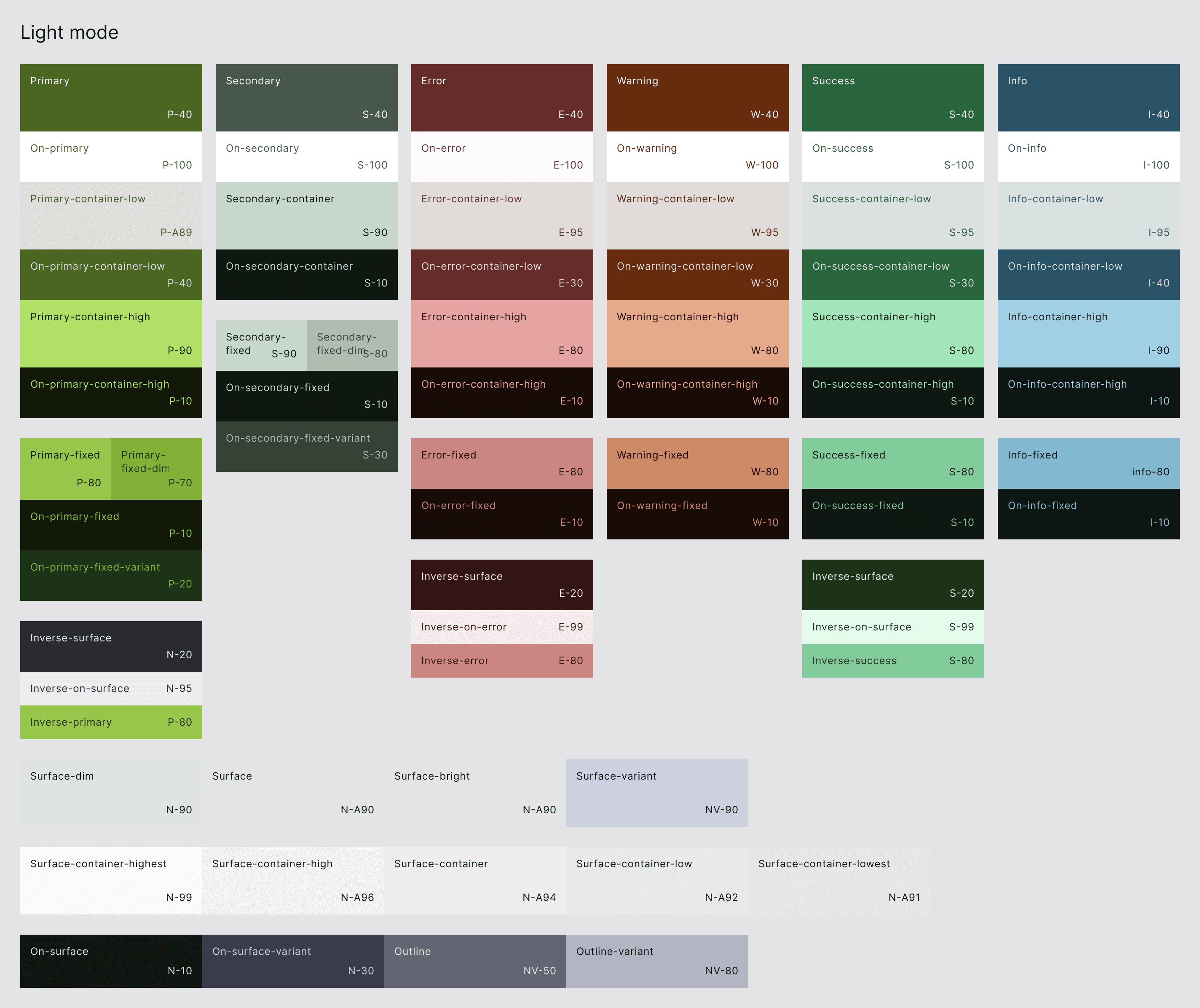
Masonite Style & Tokens - Color - Light Mode
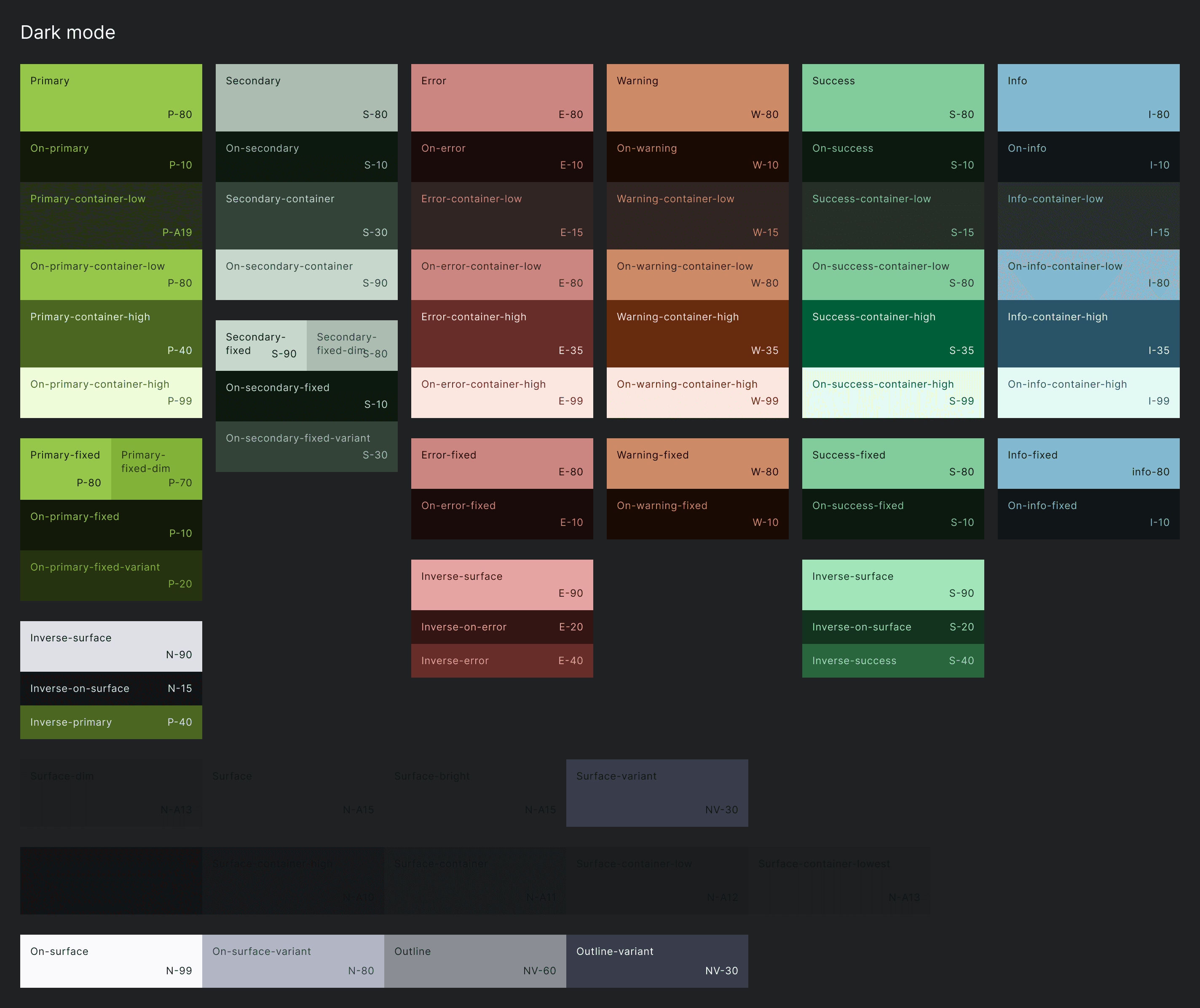
Masonite Style & Tokens - Color - Dark Mode
Iterative Testing
Communicating with Front-end designer
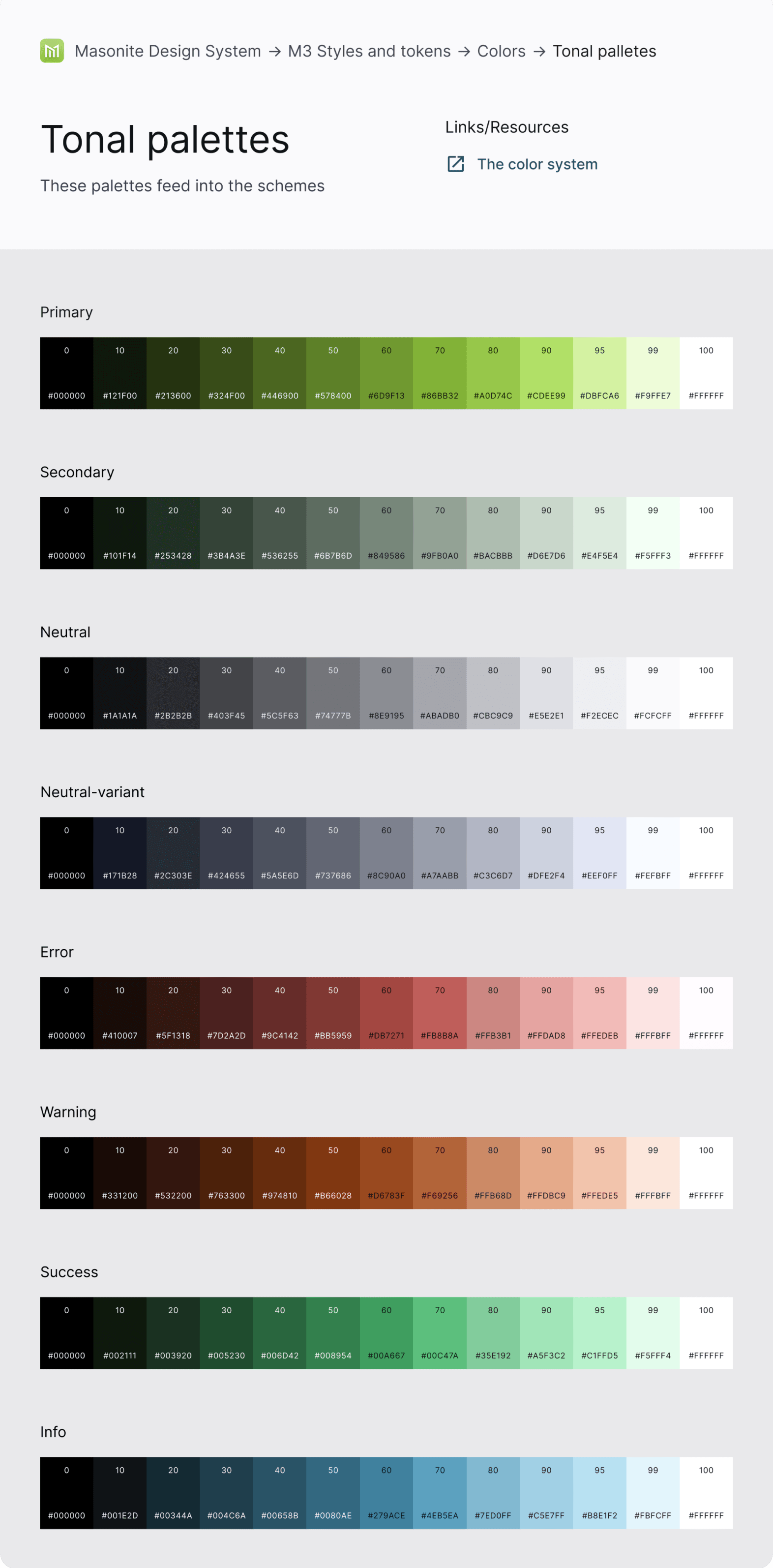
Although we are a small digital team, I know we will house more designers in the future. The design system will expand and be used by more people. Thus, I got the help from a front-end designer to make colors as tokens with intuitive names followed by the color names in tonal palettes that is easily understandable by engineers. This was a quick way for both designers and engineers to get educated on communication and improve hand-over efficiency.
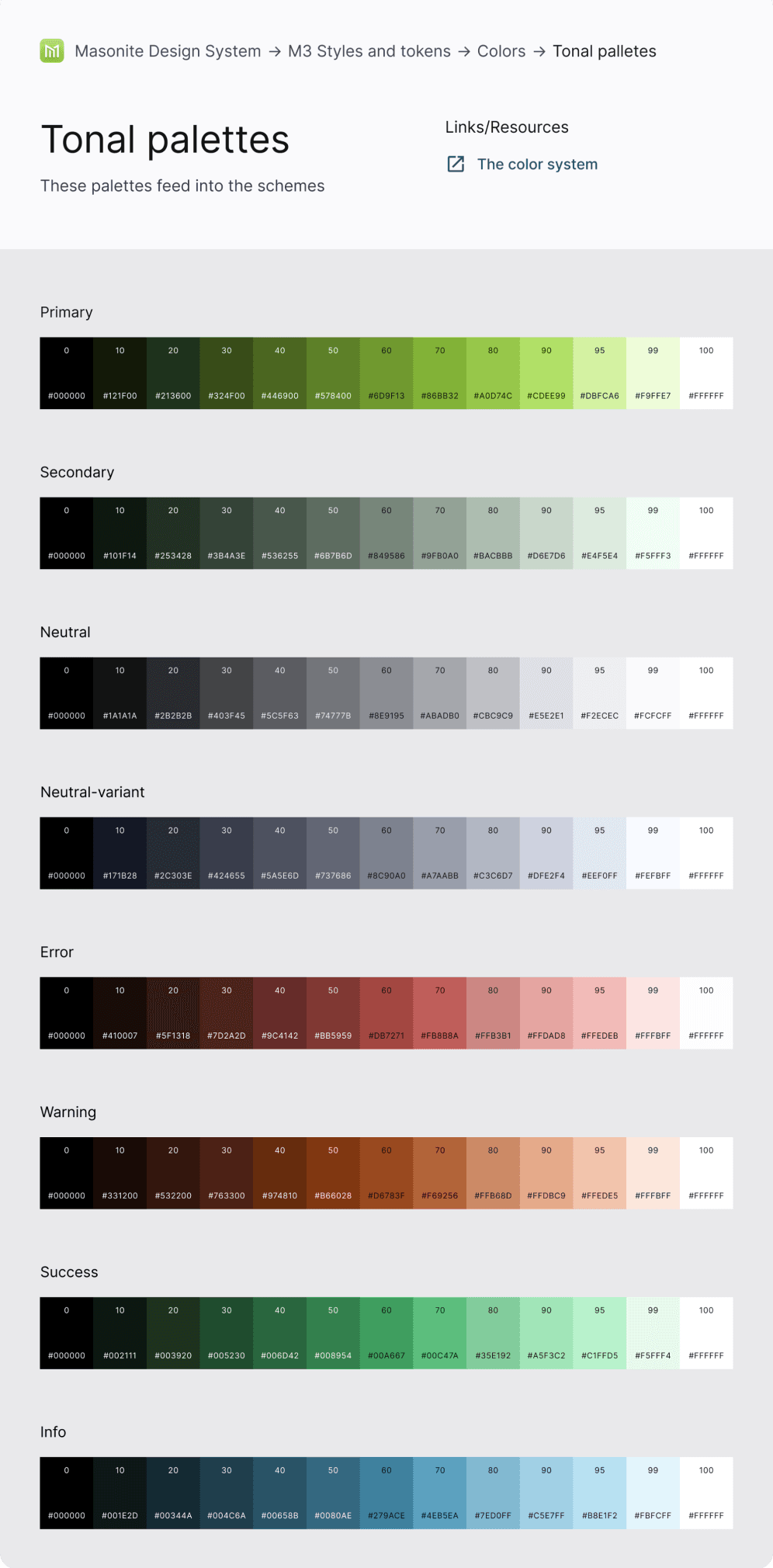
Masonite Style & Tokens - Color - Tonal Palettes
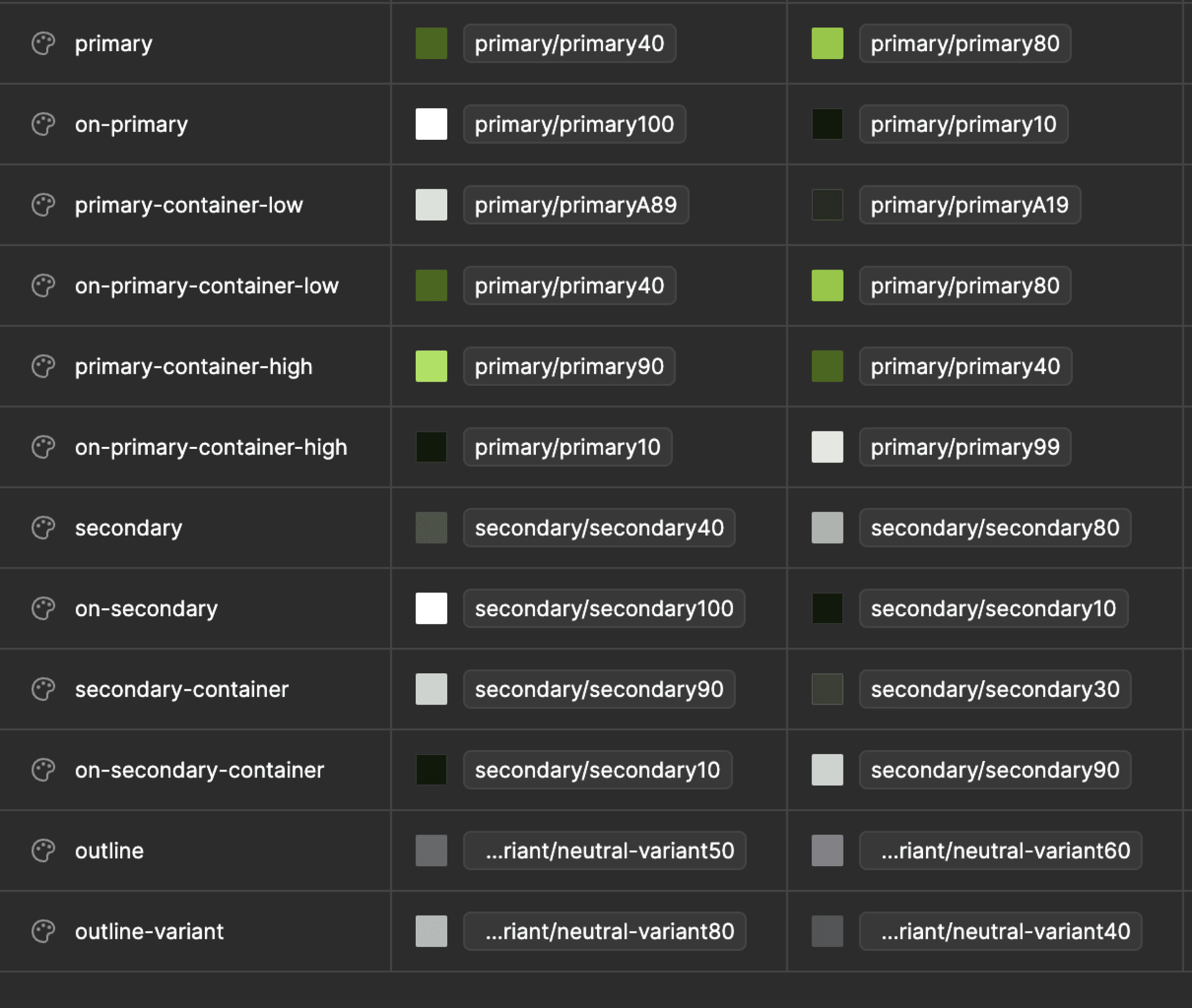
Masonite Style & Tokens - Color Styles
Result & Impact:
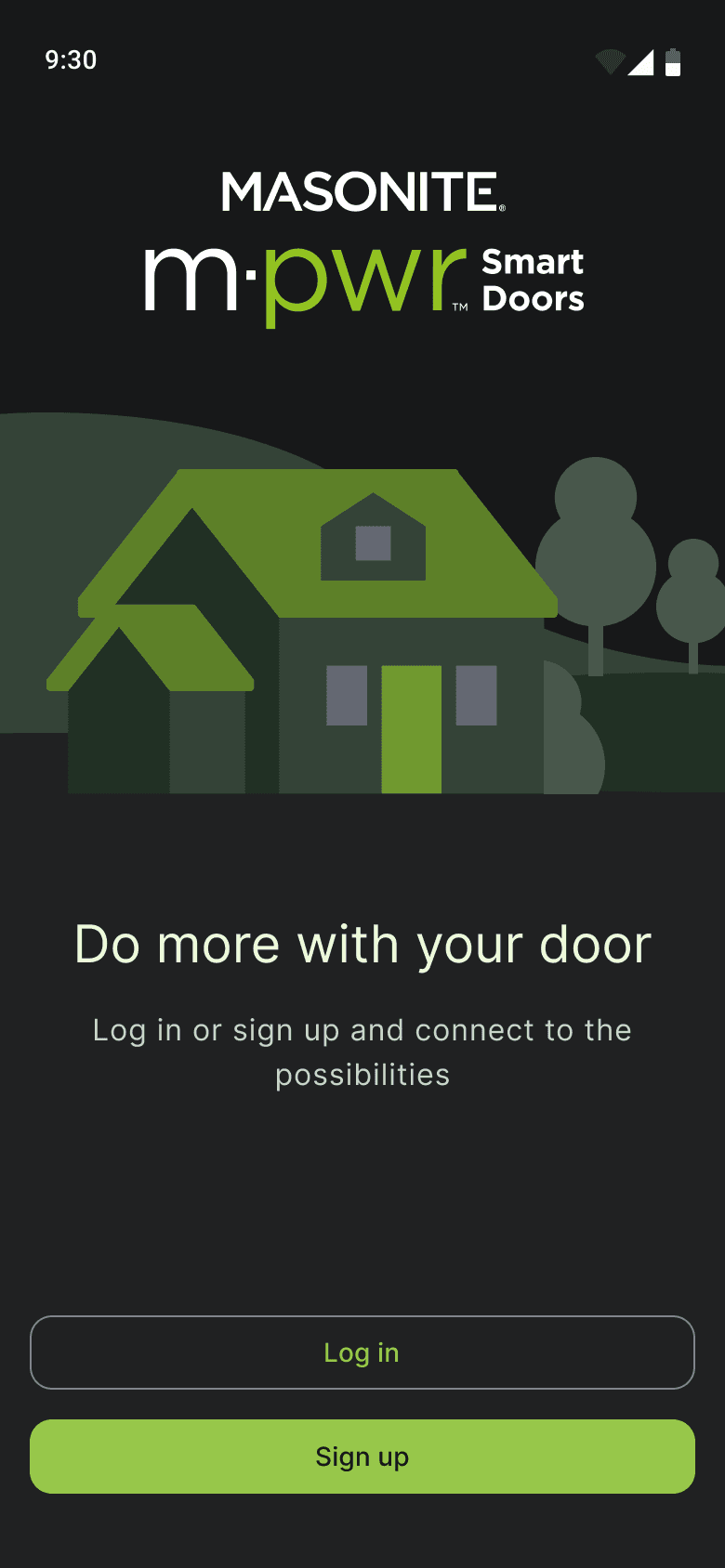
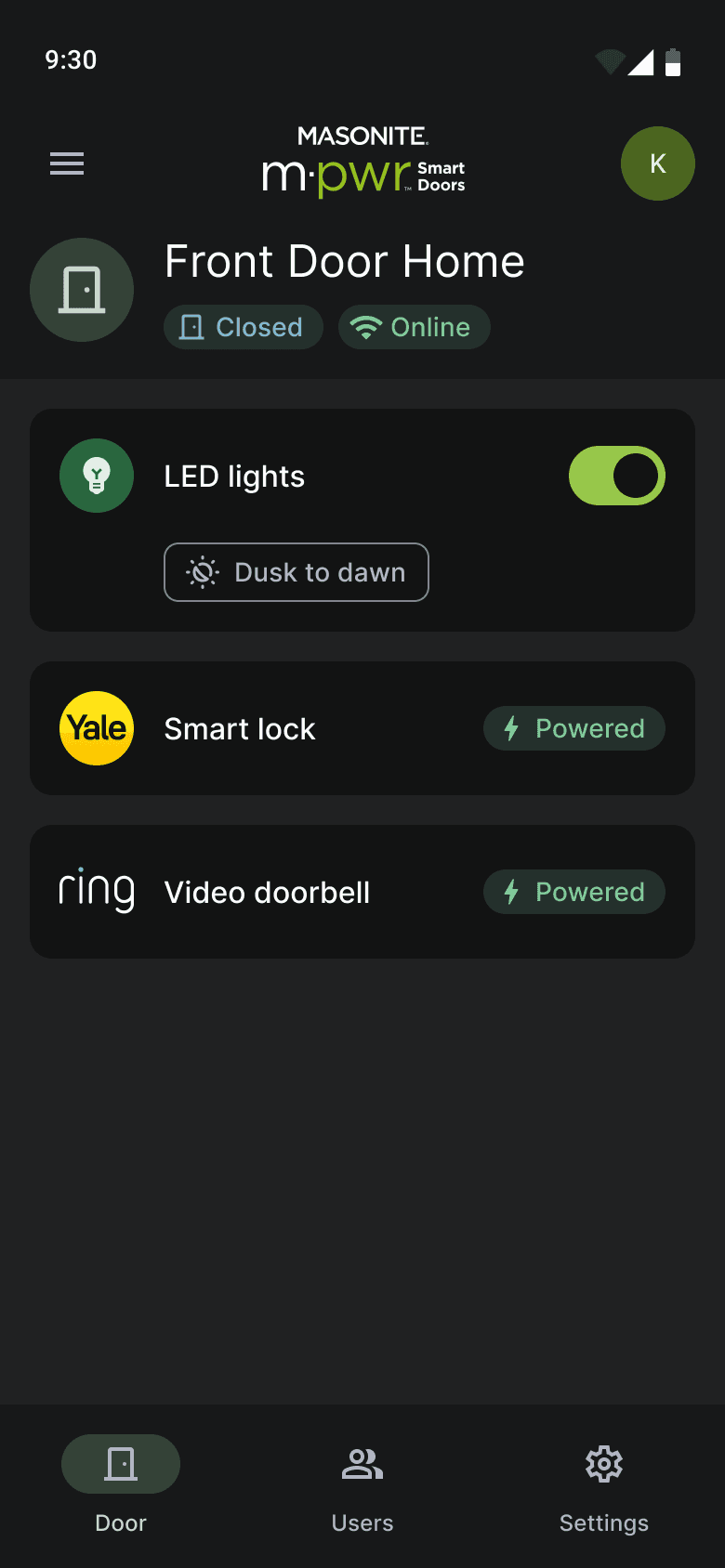
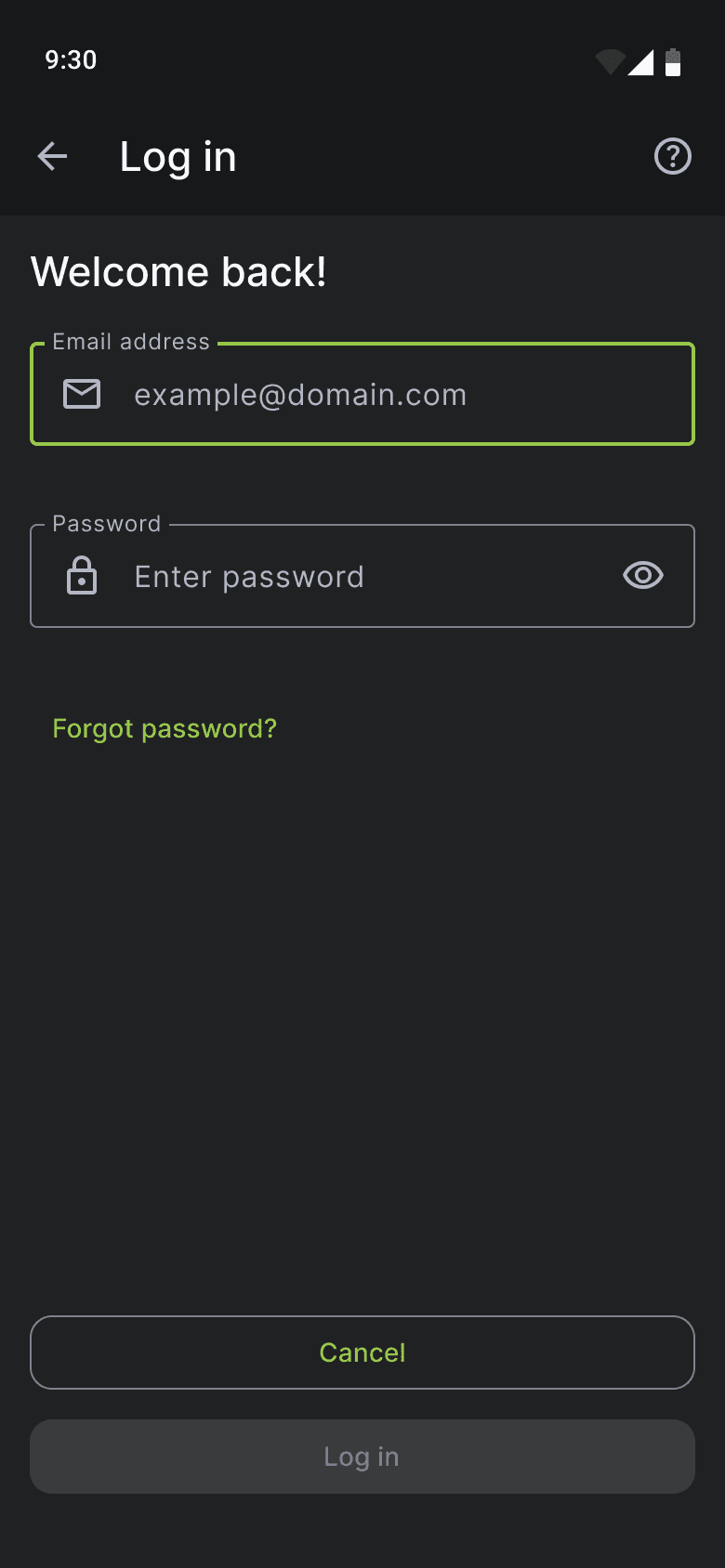
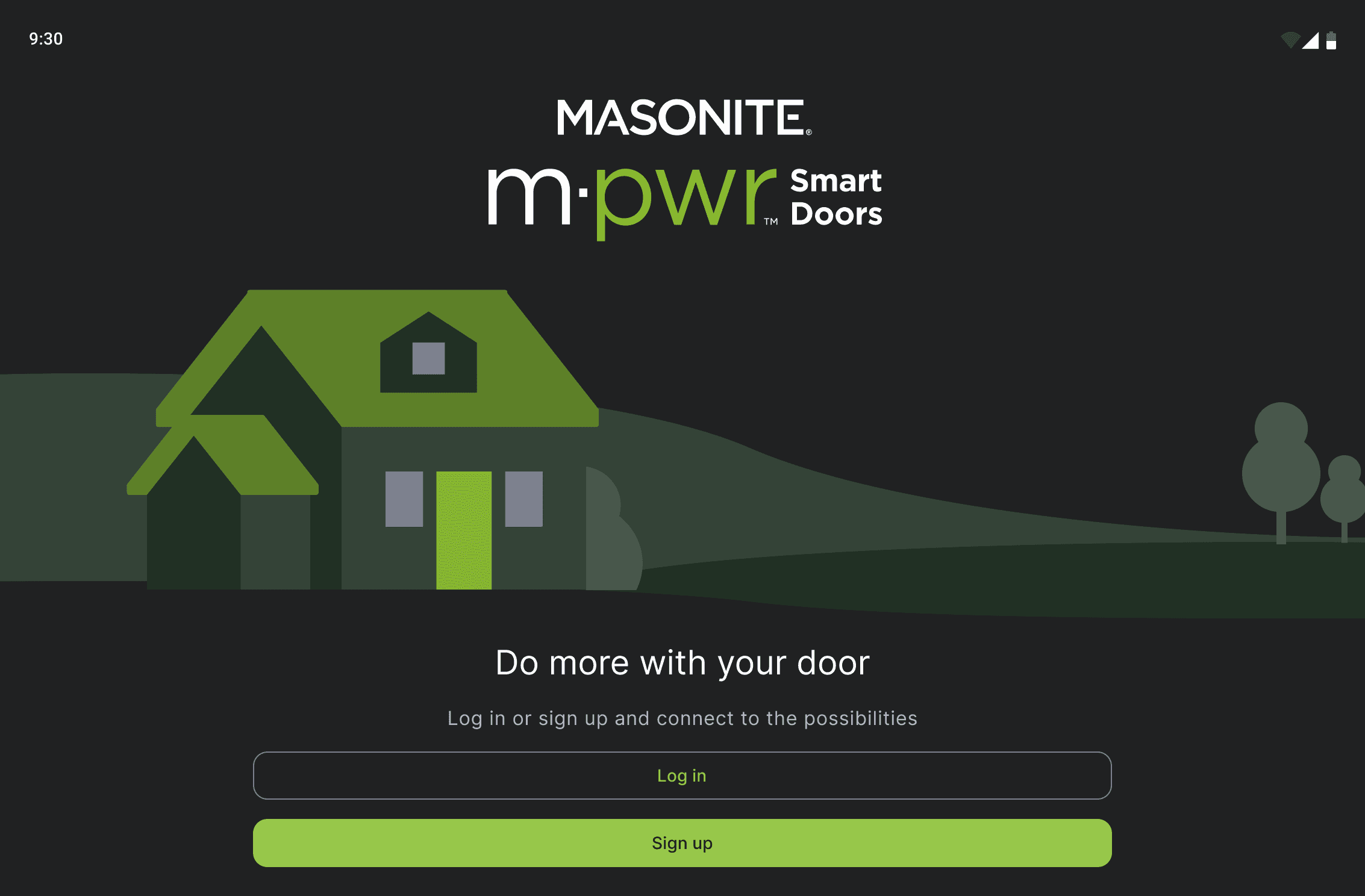
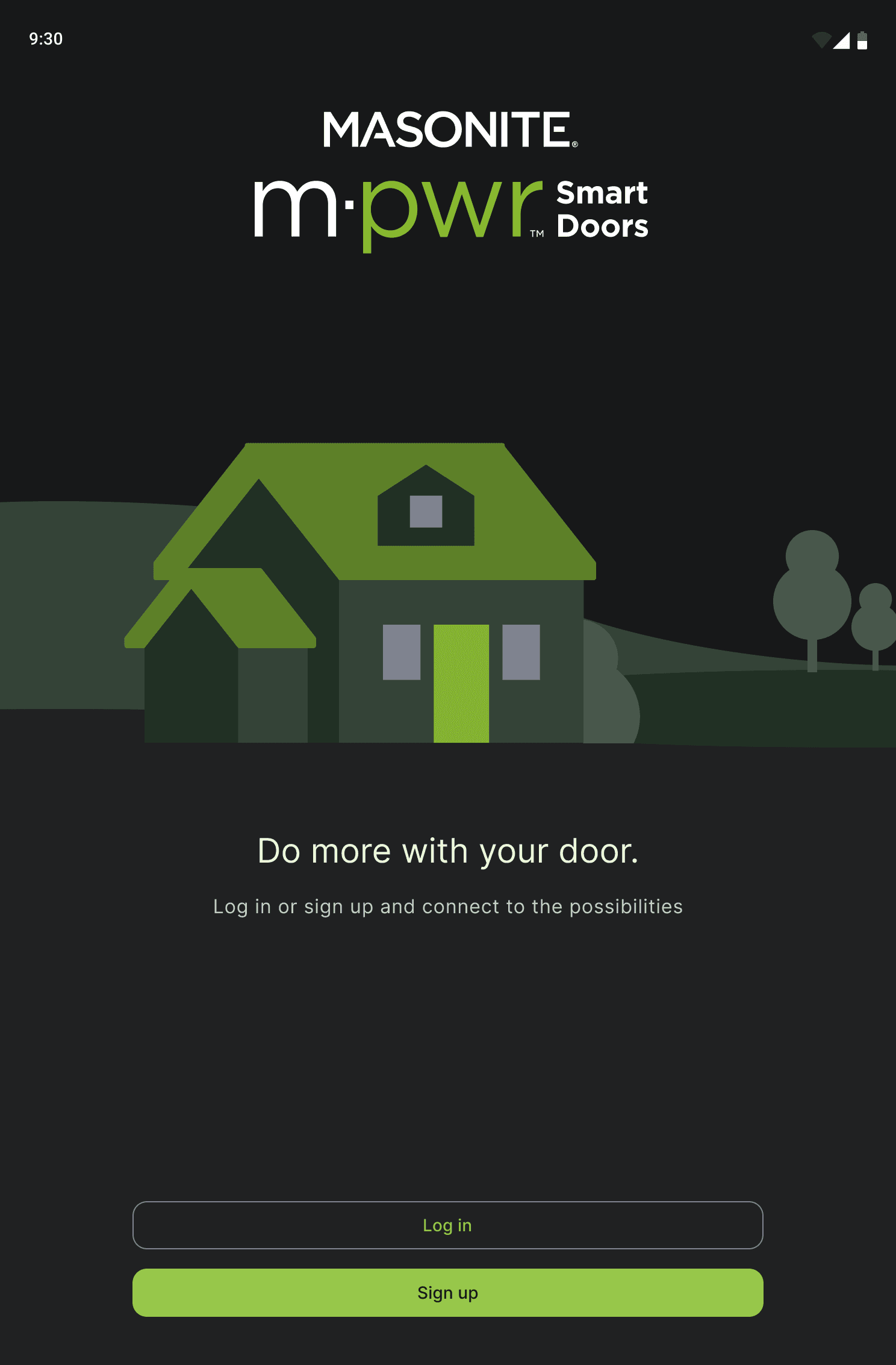
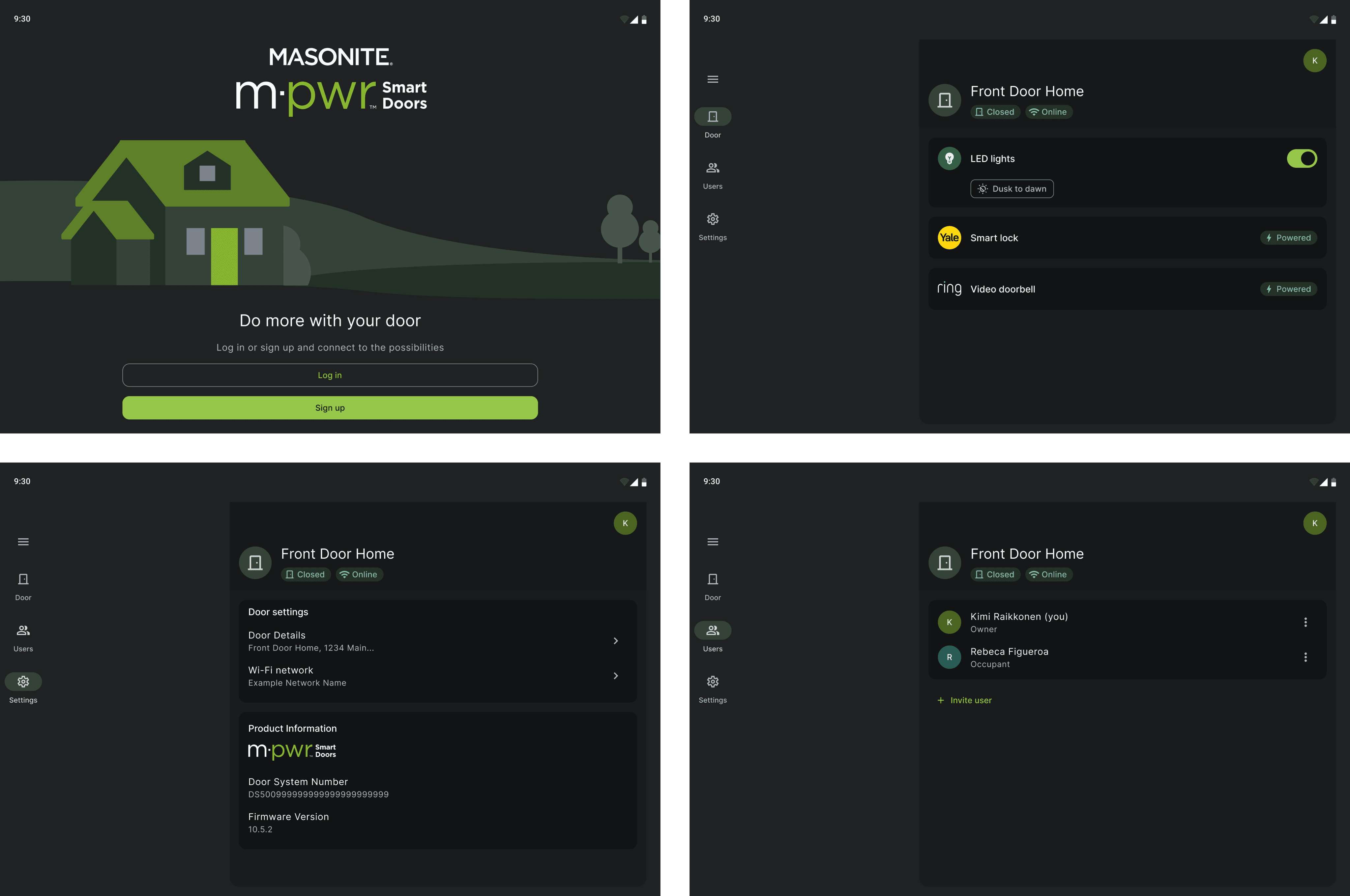
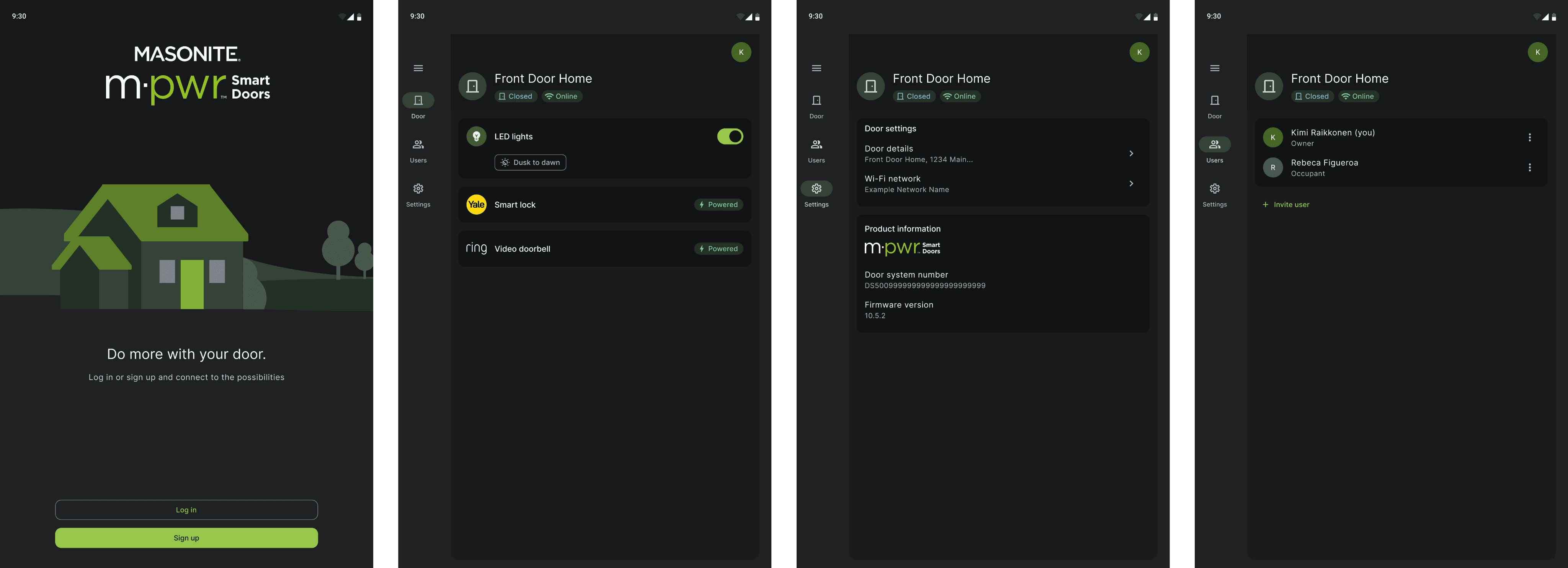
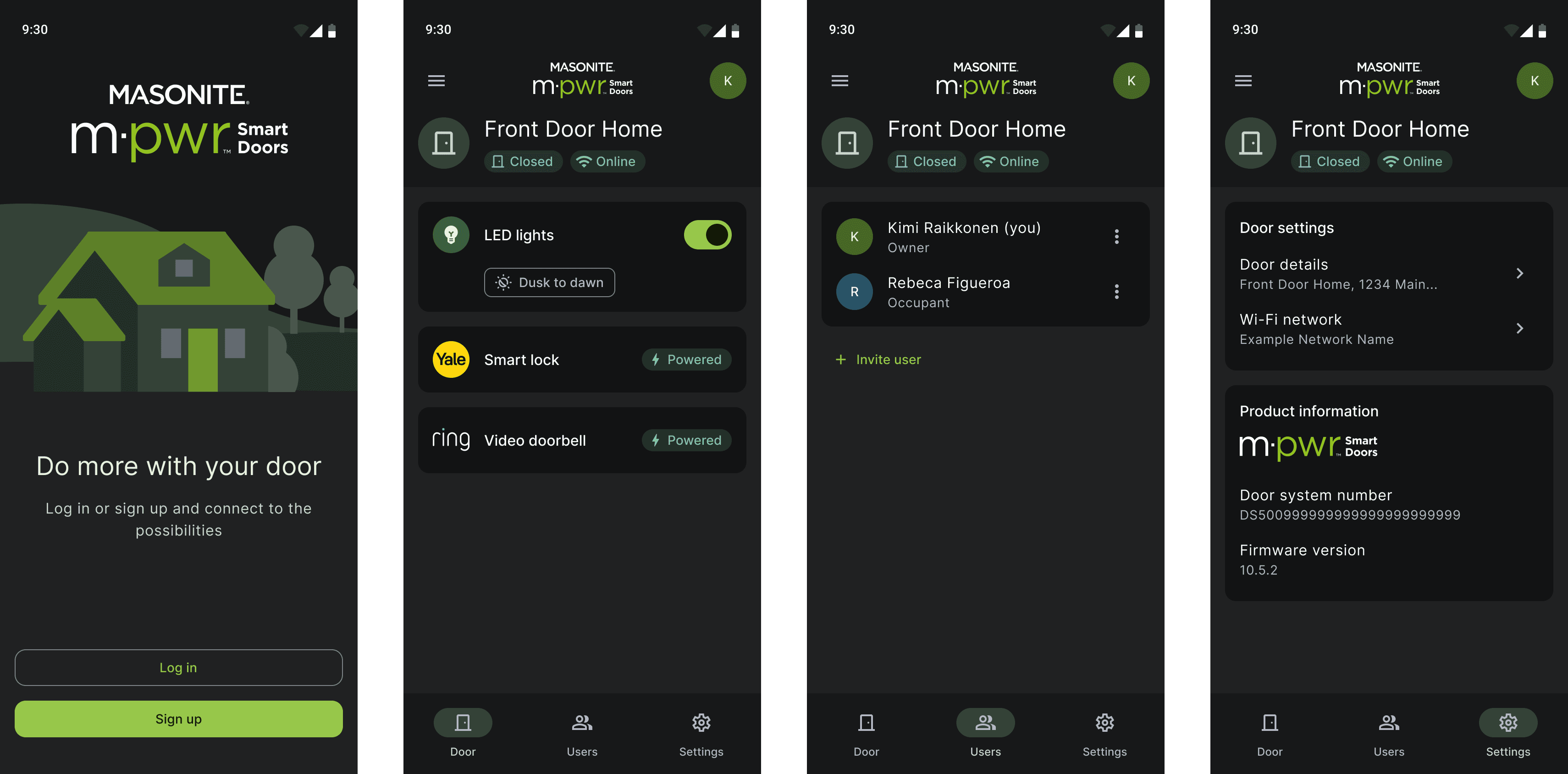
M-pwr App & Tablet Dark View
Building Designs from Molecules and Components
Finally, I was able to create the dark mode based on the core components with dark theme variations that have been integrated them into larger molecules like form groups and card layouts. With the updated color palette that enhances readability and reduces eye strain, I ensures accessibility with sufficient contrast ratios. Thorough testing on various devices helped refine the design for a seamless user experience across different screen sizes.
What I Learned
Material 3 Design Guideline and Dark Theme Principles
Learning the Material 3 Design Guidelines and Dark Theme Principles was pivotal in creating a modern and intuitive user interface. This experience taught me the importance of adhering to established design standards to ensure consistency, accessibility, and a visually appealing dark mode across all devices.
Effective Color Palette Selection
Choosing the right color palette is essential for readability and reducing eye strain in dark mode. The careful selection of dark greens and muted accents helped create a visually comfortable and accessible dark mode.
Importance of Front-end Engineers’ Feedback
Receiving feedback from front-end engineers significantly improved handover efficiency and QA testing. Their insights helped identify potential issues early, streamline the development process, and ensure a smoother transition from design to implementation.
01
02
03