
M-pwr Smart Door UI/UX
Optimize User Onboarding for the First-Ever Powered Residential Doors
OVERVIEW
User Onboarding Redesign: Driving Door Setup Completion and Feature Engagement
At A Glance
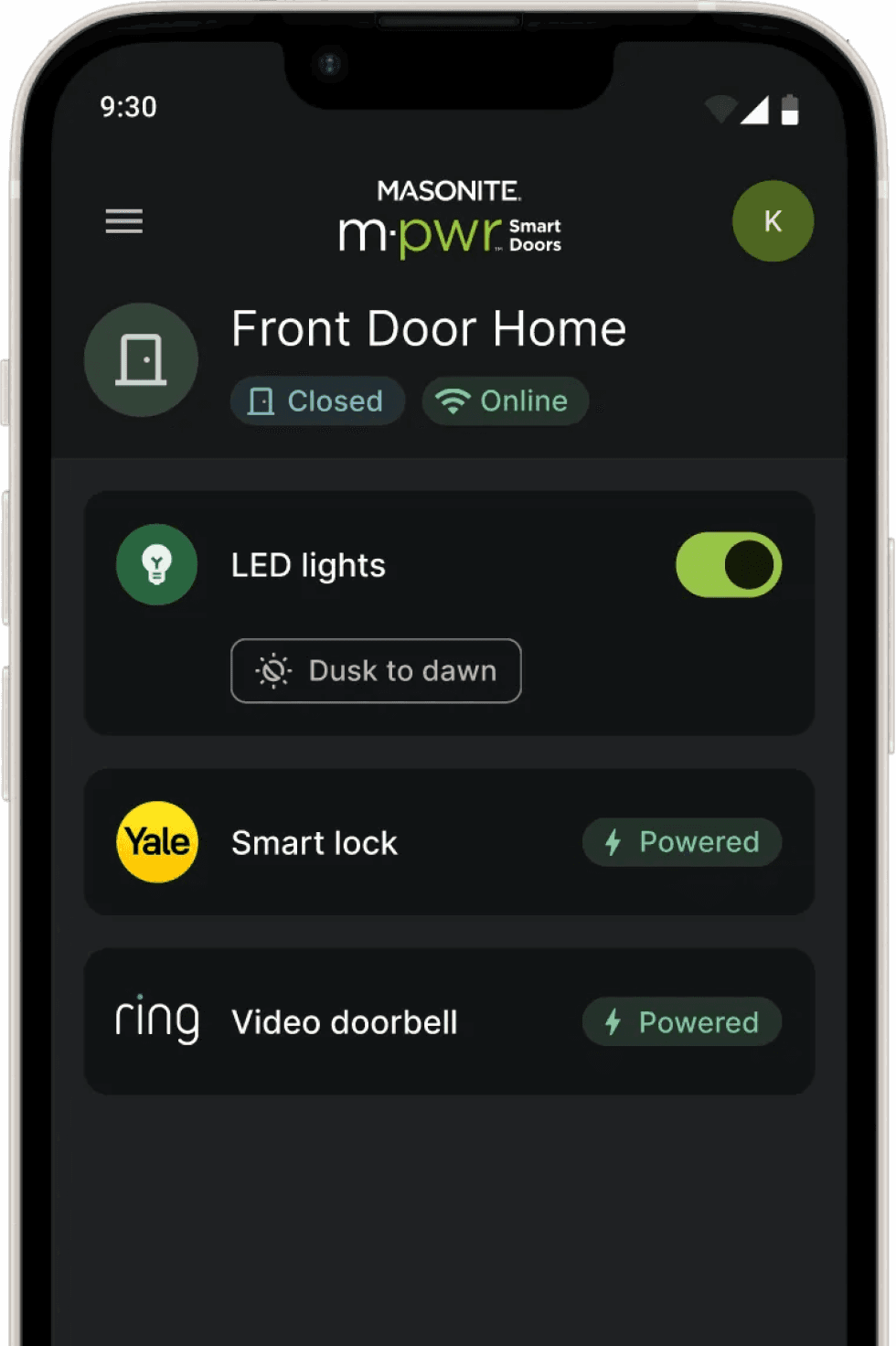
M-pwr Door is the first residential doors integrating power and smart home features. In this project, I redesigned the onboarding user flow to register the Masonite’s M-Pwr Smart Doors on the App. By creating step-by-step guide walkthroughs and integrating dark mode on the App, I delivered a frictionless onboarding experience for users to set up M-pwr door and thus enable all smart home features.
My Role
UX Design,
UI Design
Timeline
08/2023-11/2023
Team
UX Designer, Front end Engineer, UI Designer
Tools
Figma
The Impact
1.17x
Success Rate for 1st time users to complete onboarding
75%
Increase in user engagement from 12% to 21%
Significant reduction in setup related support tickets
27%
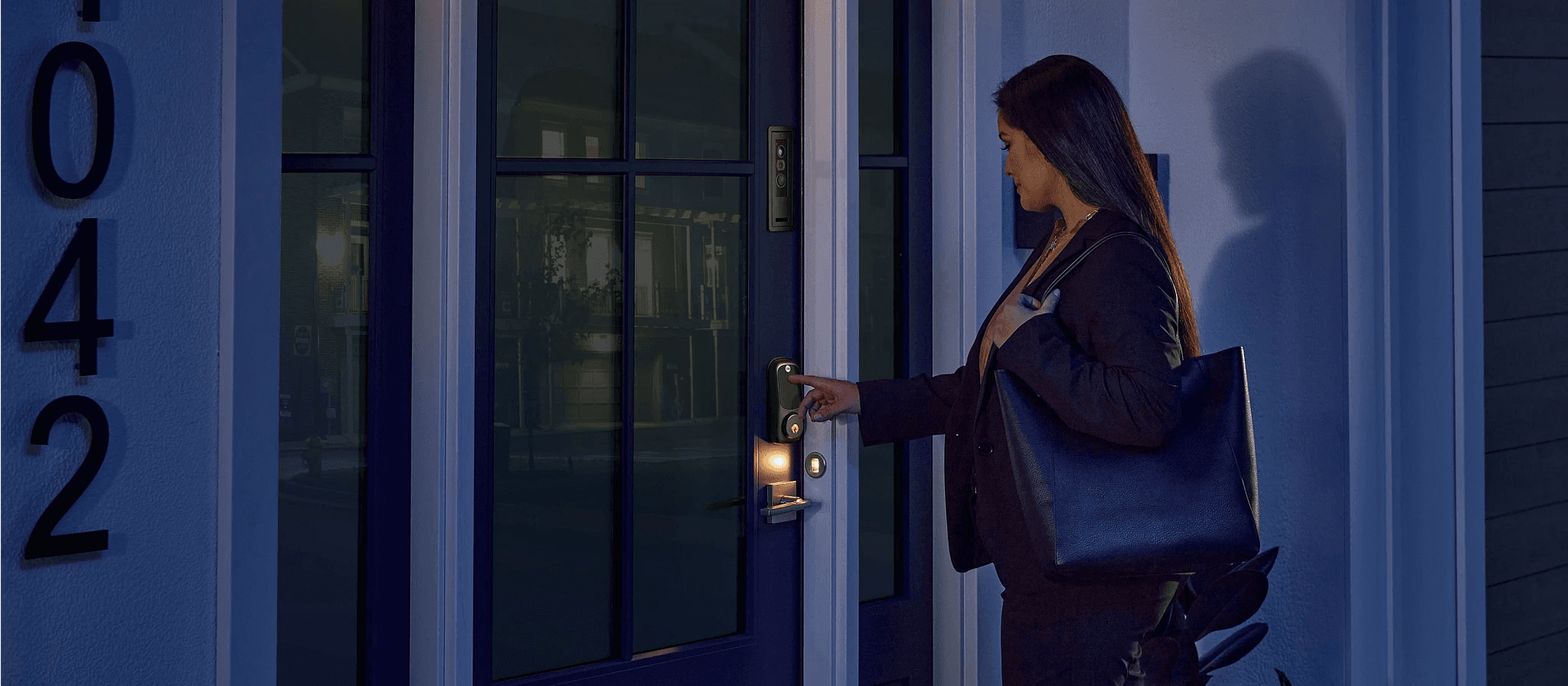
M-Pwr Smart Doors are the first-ever residential front doors to integrate power, lights, a video doorbell and a smart lock into the door system. This innovation of adding power to an exterior door eliminate common pain points for homeowners and smart device manufacturers, such as the frequent need to replace batteries.
Contexts
The First Residential Door System with Integrated Power, Lights, Video Doorbell, and Smart Lock
Problem
Confusion & Complexity During Door Setup
Users of M-pwr smart door faced significant friction during its setup due to its complexity, evidenced by a high error rate at critical steps like “find door with OR code”, “connect the door with Wifi” and “register Ring and Yale”.
Cannot Find QR Code
Lots of support ticket comes from the frustration that user cannot find QR code on the door hinge without a image.
High Error Rate during Device Pairing
Users frequently fails to pair the door to Wifi, leading to repeated attempts and frustration.
Uncertainty about Physical Steps
Users couldn't tell if they correctly performed physical actions (like pressing the pairing button on the door).
Difficulty Understanding Technical Jargon
Users were confused by instructions that relied on technical terms (e.g., "Connectivity Button" "Product ID").
Time Sensitive Steps
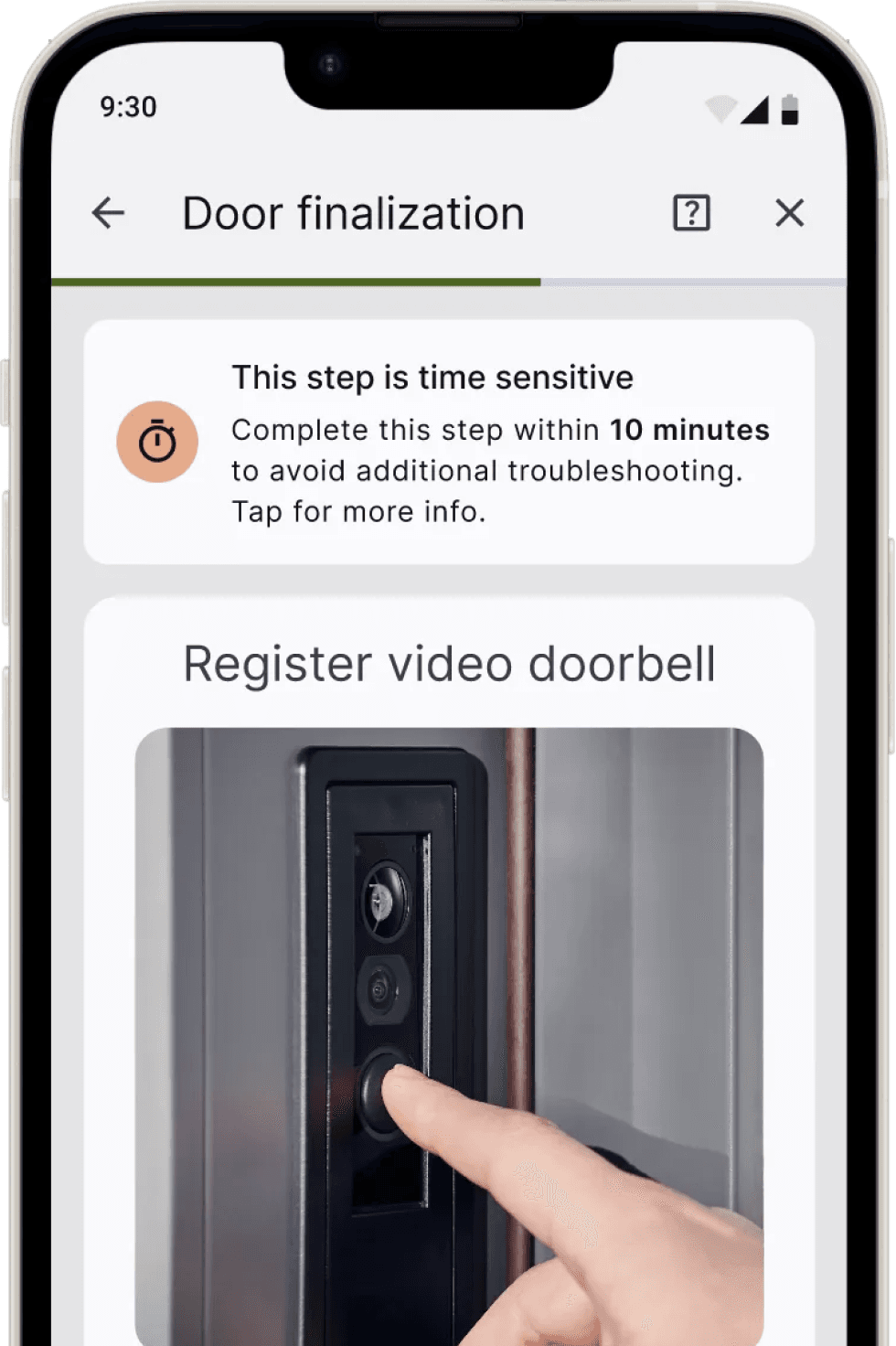
Register Ring and Yale to the system is time sensitive and users tend to fail in this step which leads to the need to reboot the system again.
Doesn’t Know Which Step Goes Wrong
Lots of support ticket comes from confusion about which steps not working and makes it hard to sort out the root cause
?
HMW simplify the door onboarding flow so that homeowners can successfully activate their M-Pwr door seamlessly?
SOLUTION
After
Find product
Reboot
Door
Preparation
Connect
to Door
Door
Finalization
Start
End
Before
Find product
Connect
to Door
Door
Finalization
Start
End
01 Redesign Onboarding User Flow
Add a preparation phase to inform users what they need beforehand. Add reboot option to allow users to trouble shoot if error persists.
02 Zero Surprise Preparation
This feature informs users of all required items, estimated time commitment, and necessary device settings, giving them complete contextual understanding of the entire activation process upfront.
03 Contextual Awareness
Provide progress bar throughout the entire process to ensure user awareness.
04 Enhanced Visual with Clarity
Improved UI craft with higher contrast and contextual annotation to ensure user can find QR code easily.
Locate QR
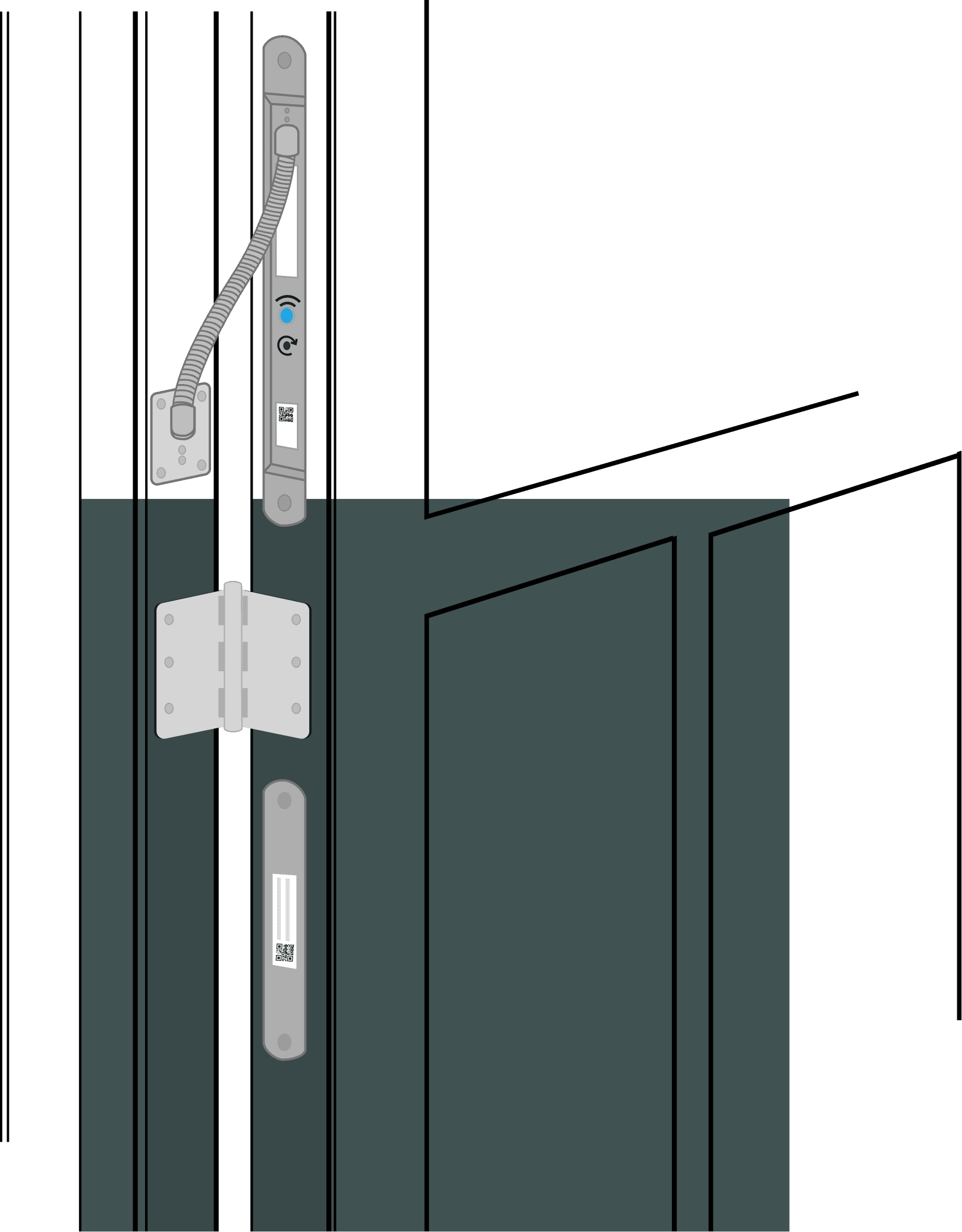
Middle hinge
QR Code
Find the QR code on the hinge side of door below the middle hinge
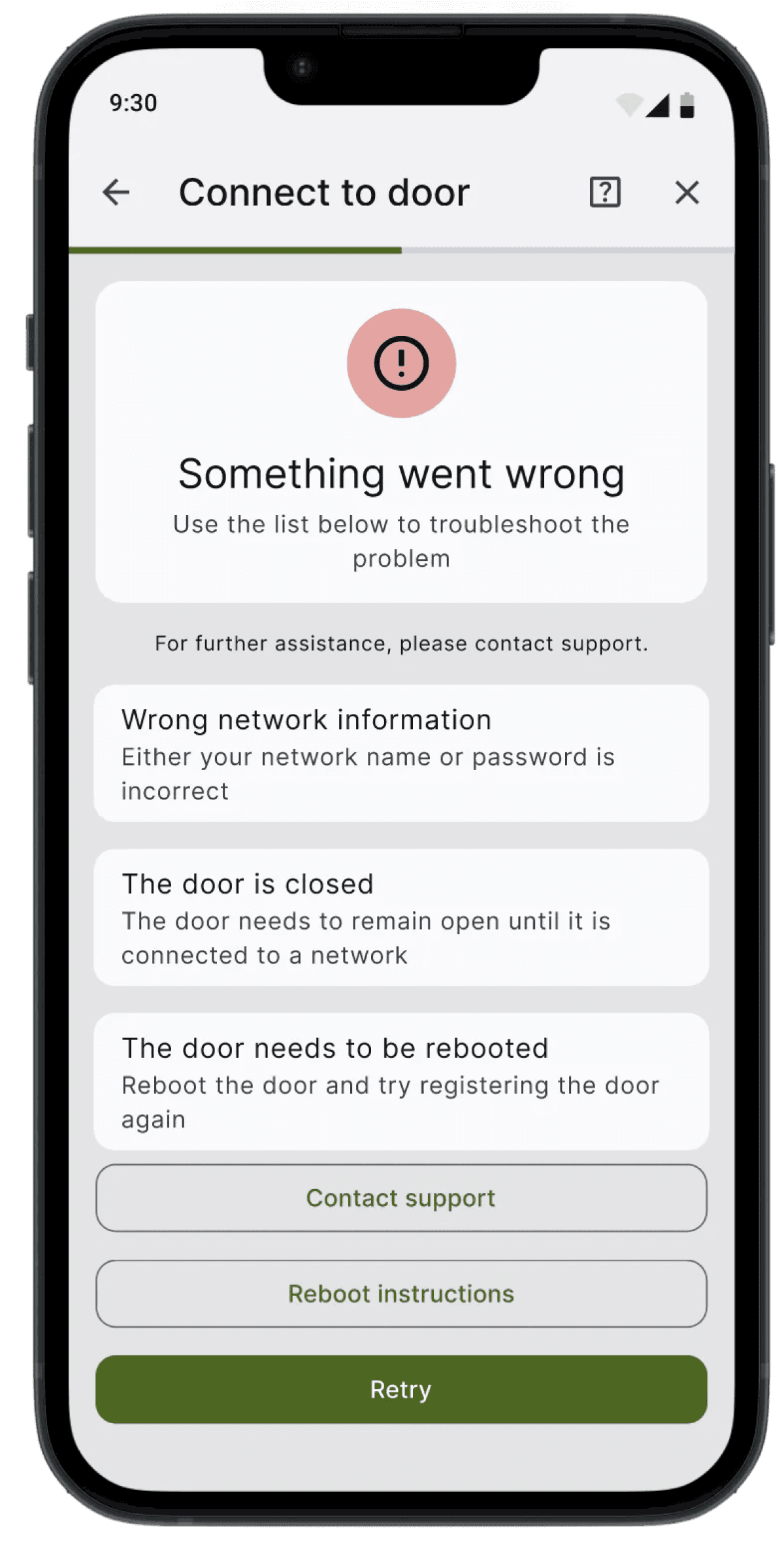
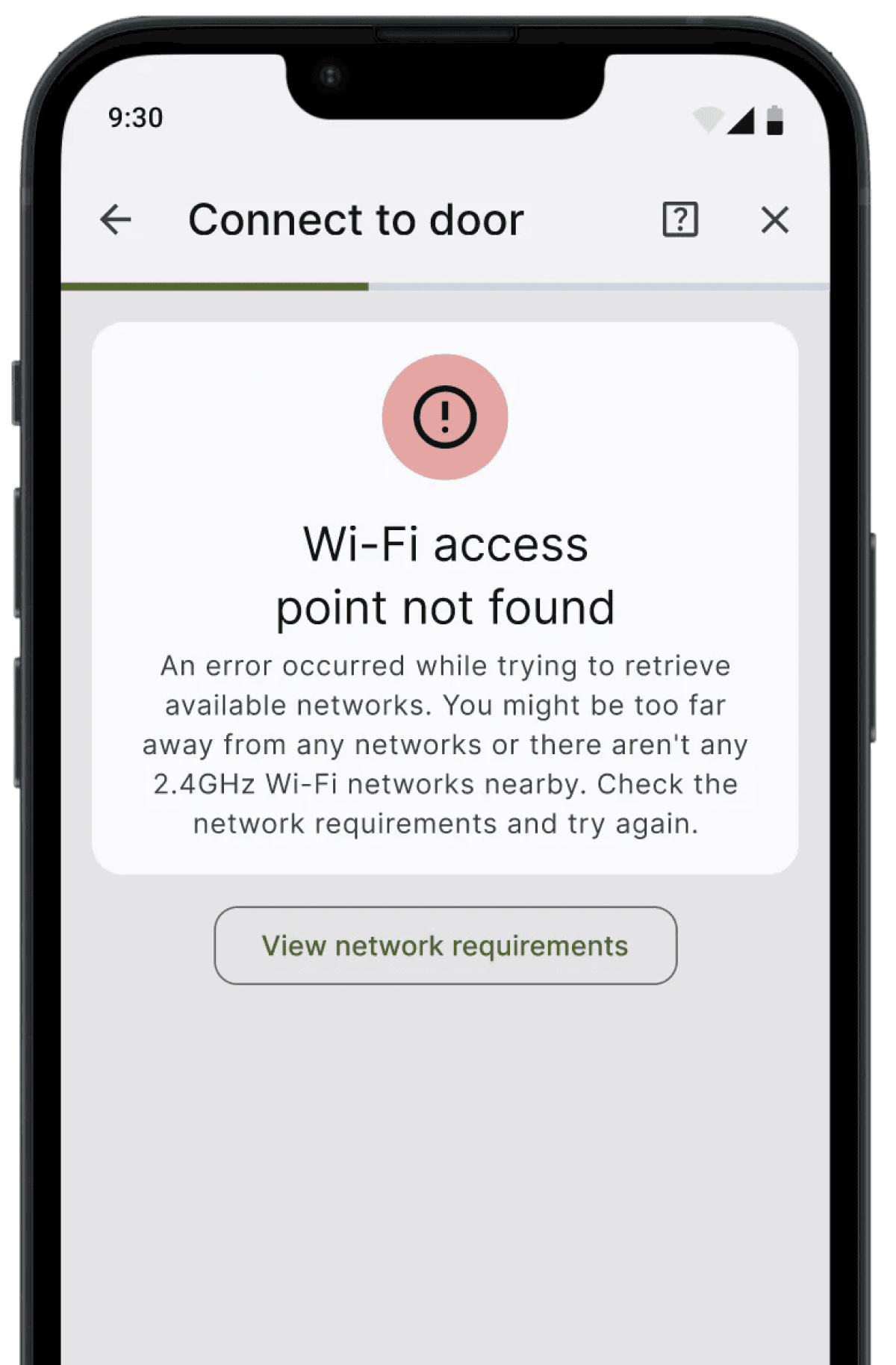
05 Failure Cases Fallbacks
Add failure case fallbacks and step by step instruction to ensure user could recognize and recover from Error during onboarding process
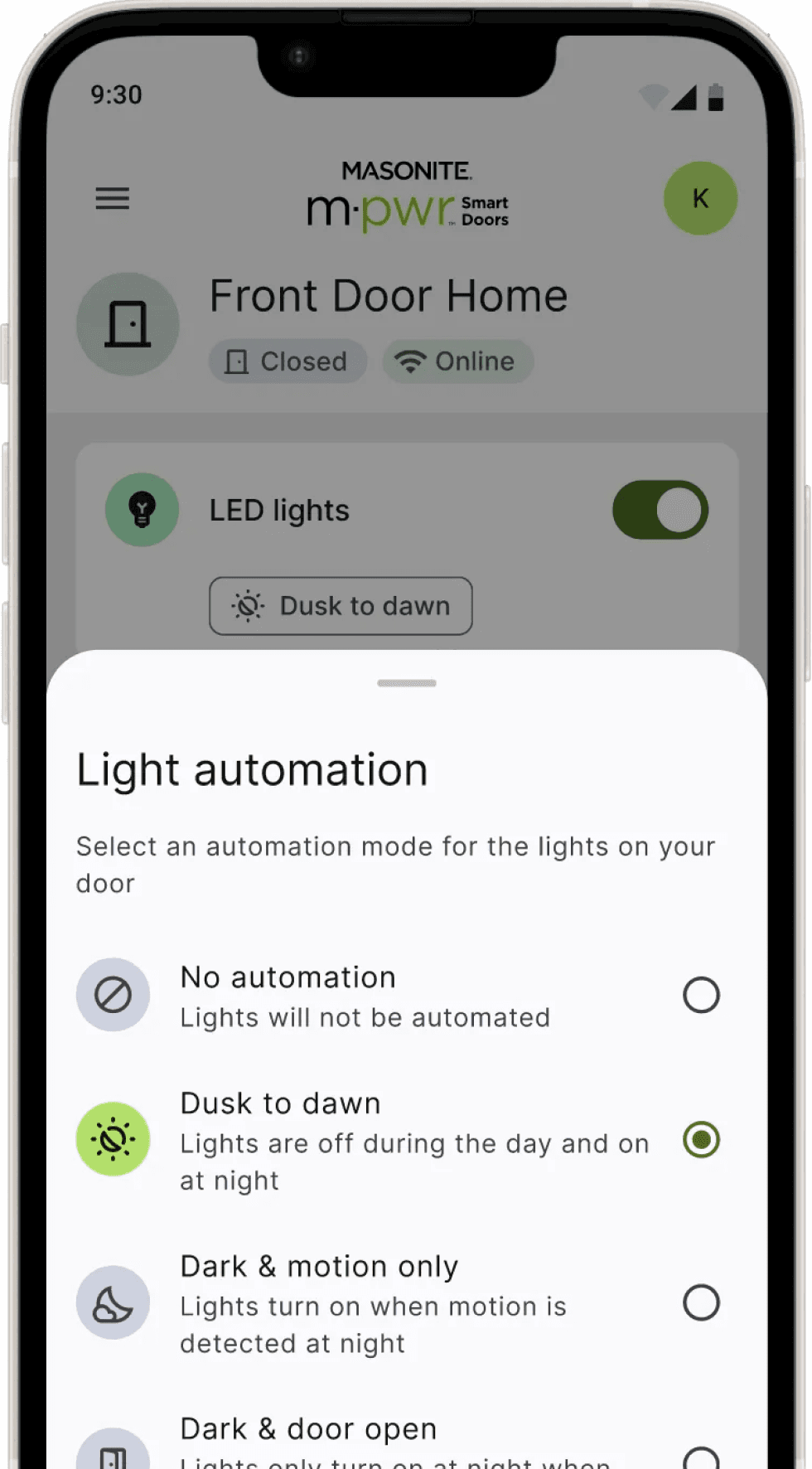
06 Dark Mode & Design System Update
By prioritizing WCAG contrast standards, the new palette enhances readability and eliminates visual fatigue, directly boosting app accessibility and user engagement at night.
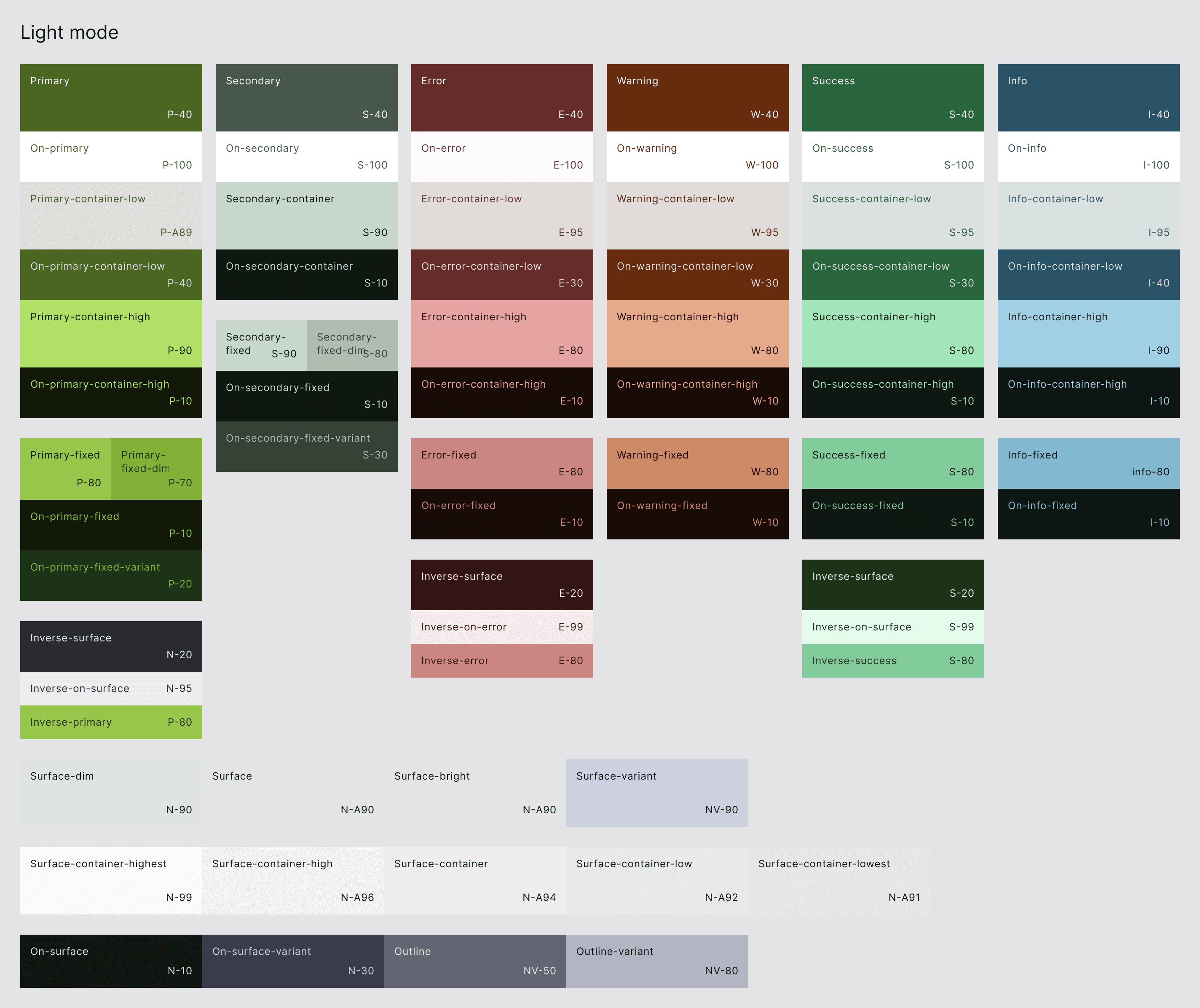
Masonite Style & Tokens - Color - Light Mode
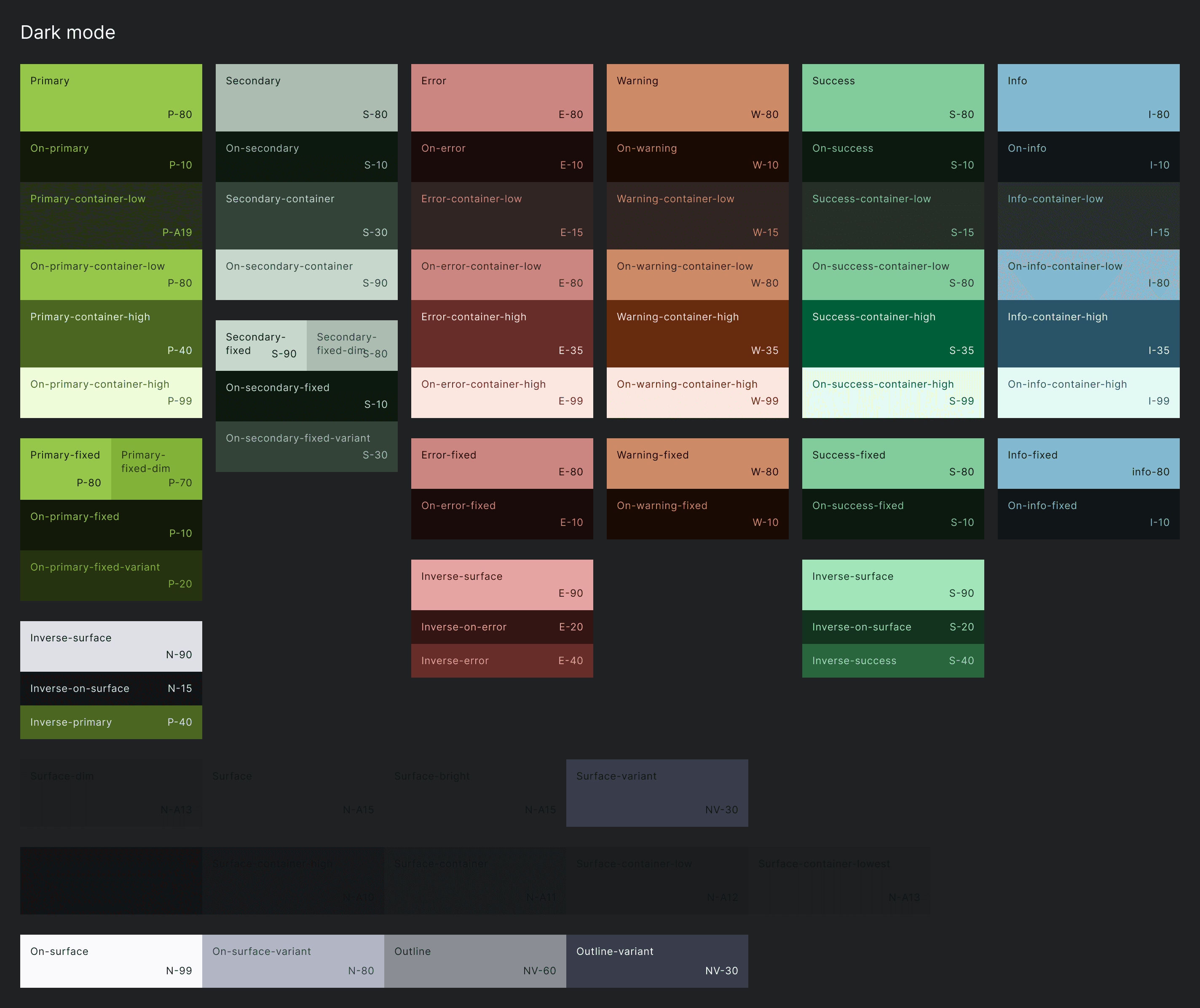
Masonite Style & Tokens - Color - Dark Mode
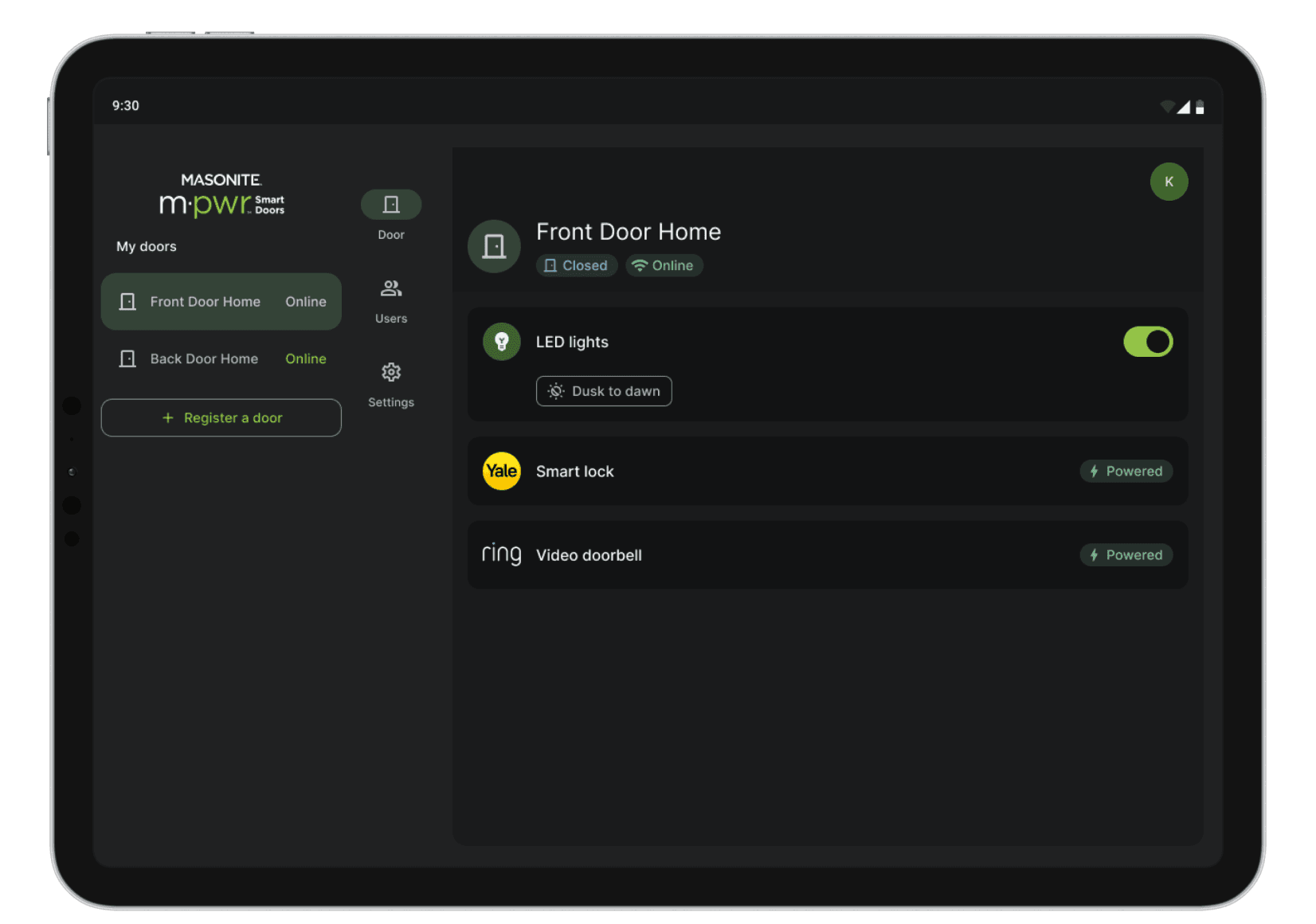
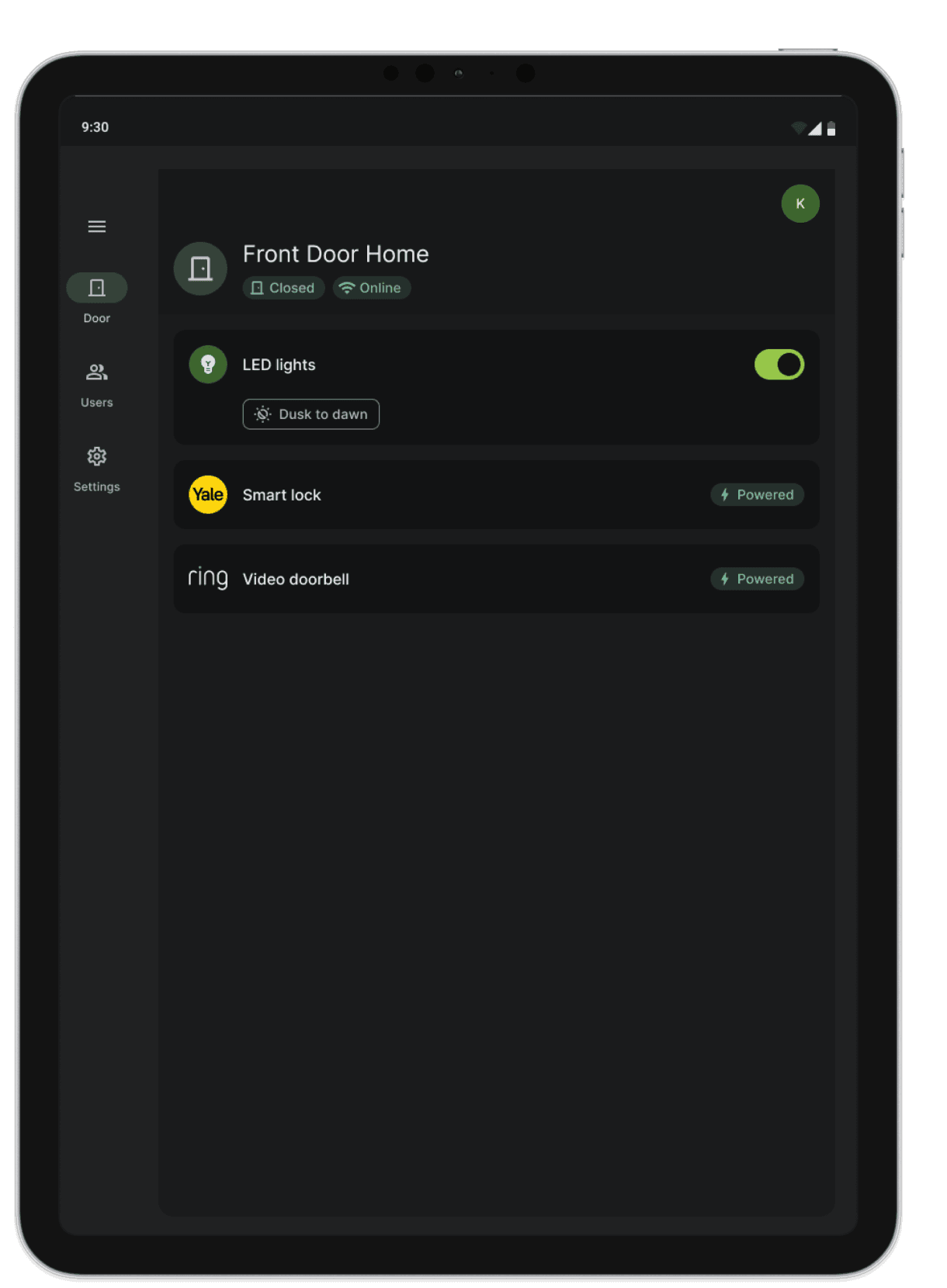
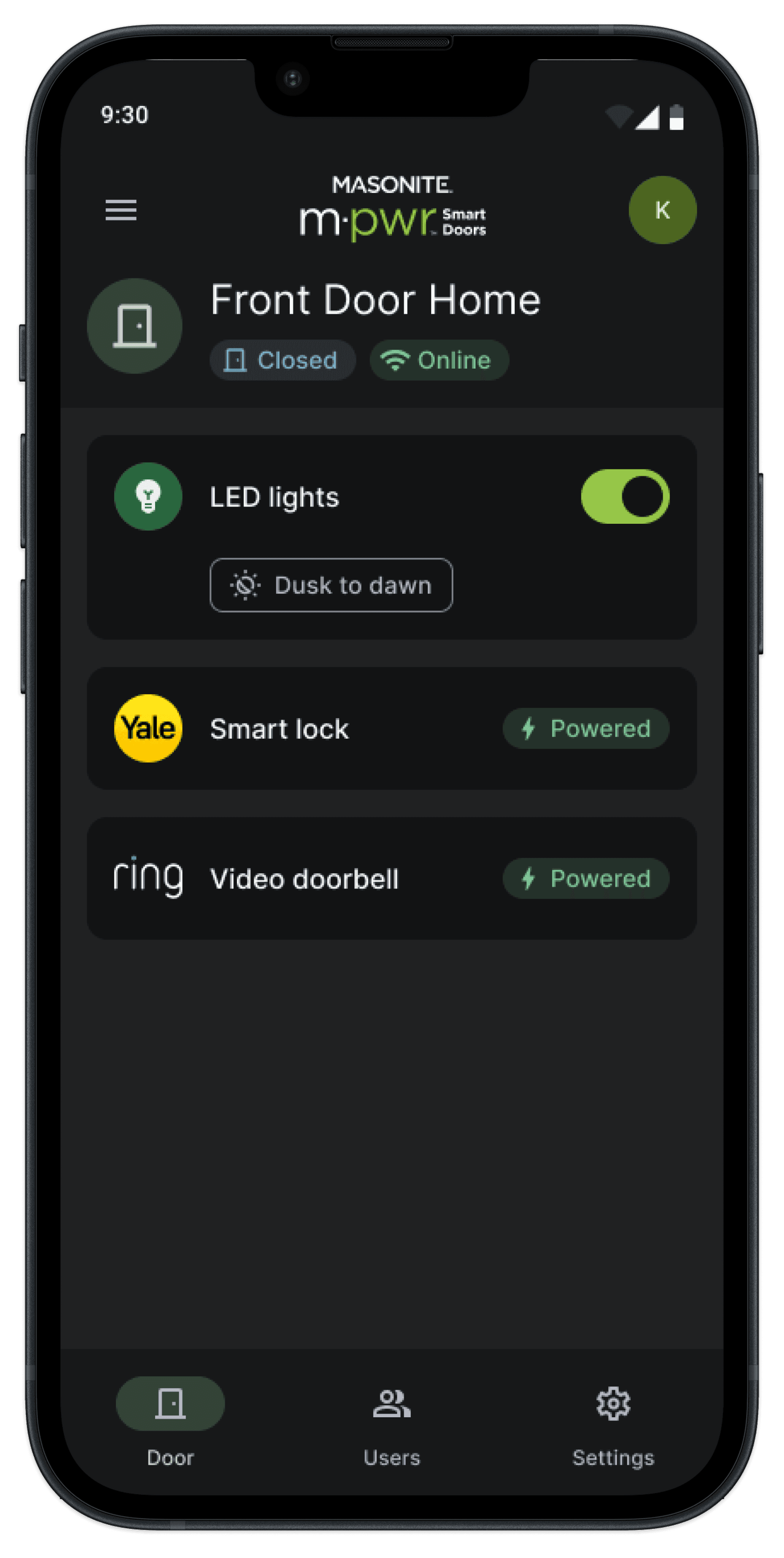
07 Multi-device Responsiveness
Maintain devices responsiveness and consistency across tablets, iPhone, and Android.
RESULT
Design Evaluation
3 Main Findings to Facilitate Design Iterations From Usability Testings
To measure the result of the redesign, I conducted a targeted usability study with 8 participants during the "physical-to-digital" onboarding process and identified 3 main findings that prevent users to complete the onboarding flows from each phases. Based on those findings, I continue iterate the designs to address user painpoints.
Key Finding #1
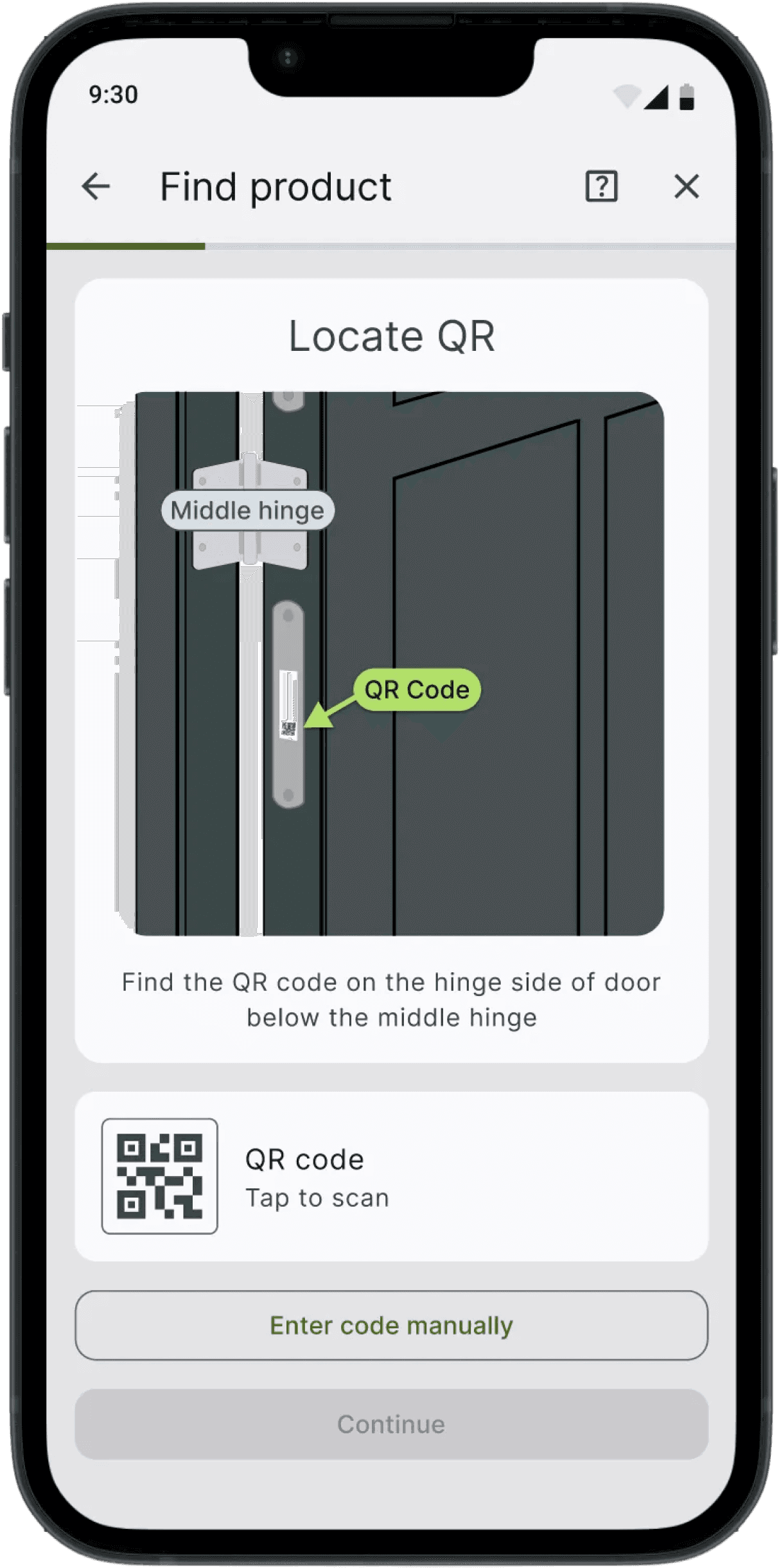
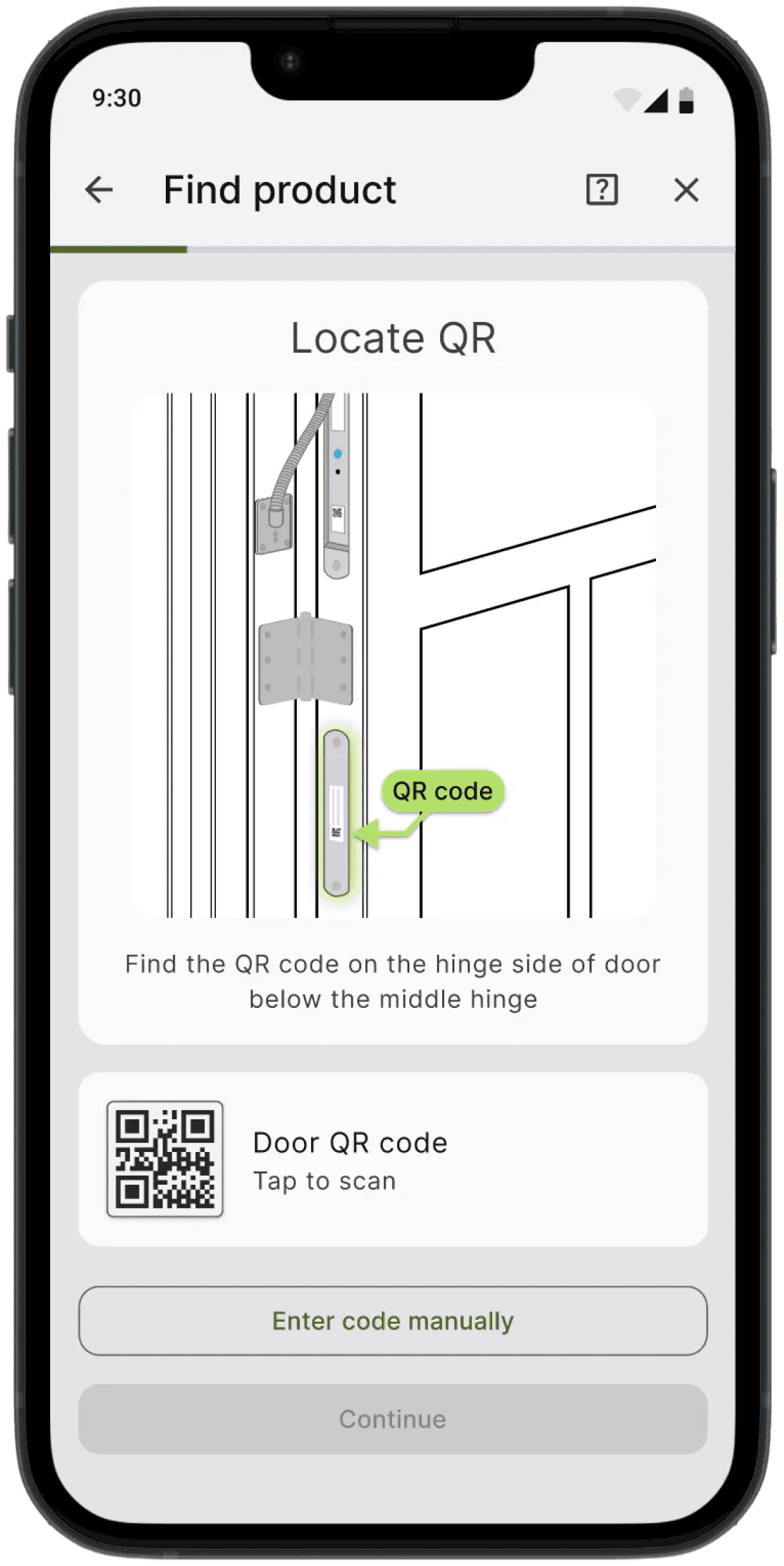
Users cannot locate product ID, QR code and connectivity button.
Key Finding #2
Users are overwhelmed by the trouble shooting process and tend to call support.
Key Finding #3
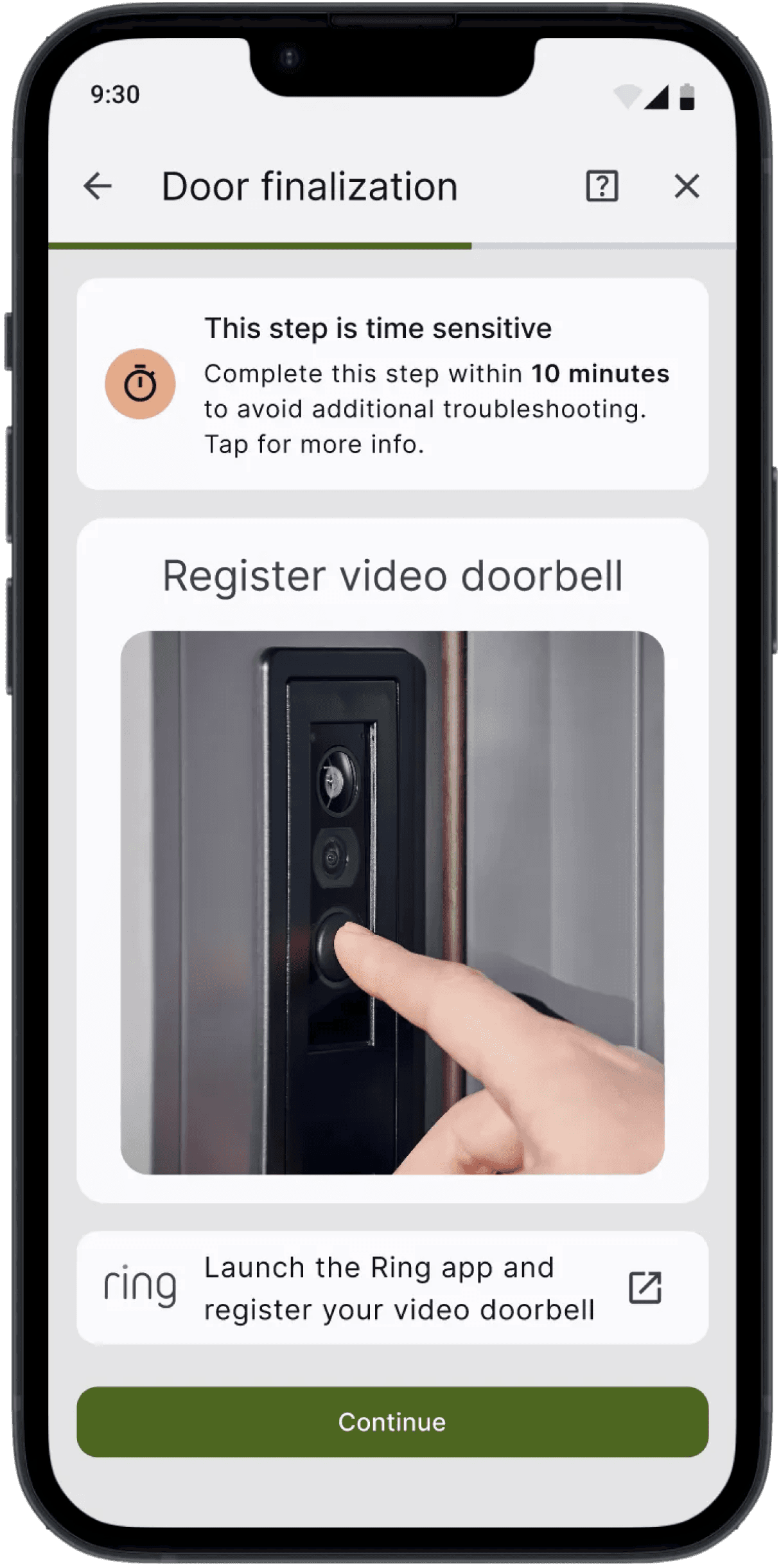
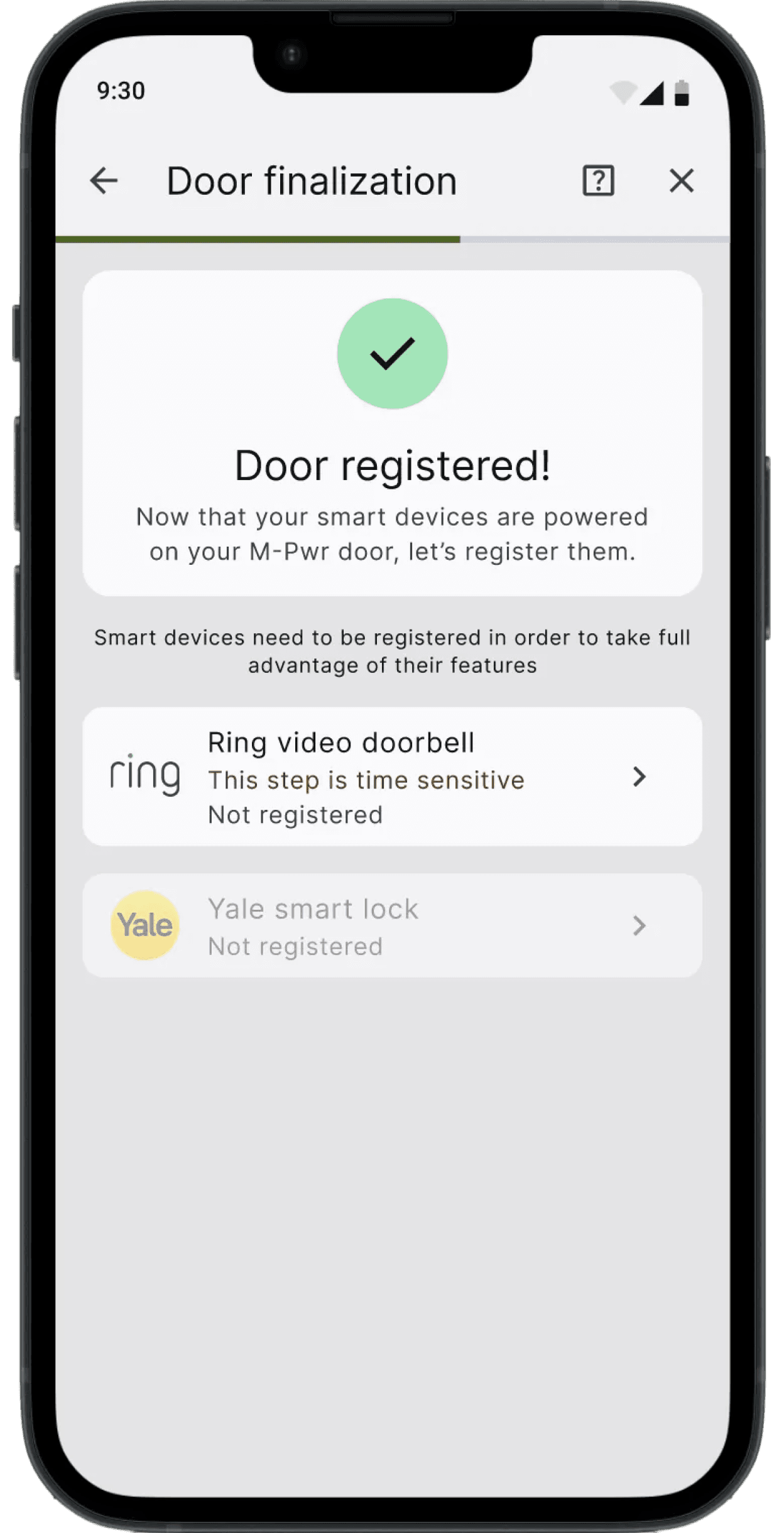
Users are not aware of the time sensitive step even with preparation check lists.
Before
After
01
Increase Color Contrast to Ease Locating Door Frames
02
Add Components Annotation and Zoom in to Prevent Failure in Locate QR Code
Before
After
01
Add extra reminder before launch the app
02
Request user confirmation that Ring App has been registered
By implementing contextual visual guides at critical drop-off points, I successfully reduced cognitive load and during device pairing. This led to a 50% relative lift in the task completion rate. The following funnel map and table illustrates how the redesign "plugged the leaks" in the user journey:
Viewing requirements
Finding QR / Product ID
Connectivity to Wi-Fi
Ring & Yale Setup
Task Completion
100% (8/8)
75% (6/8)
75% (6/8)
50% (4/8)
50% (4/8)
100% (8/8)
87% (7/8)
87% (7/8)
75% (6/8)
75% (6/8)
No drop-off at start
+1 User found the code
+1 User stay in the flow
+2 Users reached the end
50% Relative Lift
User Action
Before
(Baseline)
After
(Redesign)
Impact on 8 Users Tested
Journey Step
The Start
Discovery
Connectivity
Integration
Final Success
By introducing an accessible Dark Mode, I increased App Stickiness from 12% to 21%. This represents a shift from users engaging once every 8 days to once every 4.7 days. Data analysis of session distribution showed a significant spike in nighttime activity, confirming that reducing visual strain allowed users to integrate security checks into nightly routines.
App Stickiness (DAU/MAU)
12%
21%
Before Design
After Design
Increase in App Stickiness (DAU/MAU)
75%
From 3 days/mo to 6+ days/mo
The app moved from a rare utility to a weekly habit
Launch and Feedback
Driving 1.17x Higher Completion and 75% Lift in User Engagement of M-pwr App
The introduction of visual, step-by-step guidance and an accessible design of Dark Mode has brought about a transformative change in the door activation and security monitoring experience. After its launch in 2023, notable outcomes include:
1.17x
Success Rate for 1st time users to complete onboarding
75%
Increase in user engagement from 12% to 21%
Significant reduction in setup related support tickets
27%