OVERVIEW
Inclusive by Design: The Accessibility Insight Tool Redesign
At A Glance
In this project I defined the future vision for the Accessibility Insights web tool that helps developers to find and fix accessibility issues on the web before launch. By collaborating with Microsoft Accessibility team, I focused on restructuring the information architecture, especially navigation and data overview pages, to create a cohesive user journey. The result was a streamlined onboarding experience that optimized learnability by 55%.
My Role
UX Design,
UI Design,
User Research, Usability Testing
Timeline
01/2023-05/2023
Team
1 UX Designer, 1 UX Researcher, 1 UX Writer
Industry Sponsor
Figma, Miro
The Impact
81.0
Achieve System Usability Score of 81.0 during evaluation
55%
Decrease in navigating full assessment and locate failure
Increase in SUS score from 60 to 81
35%
We started our research by conducting 5 learnability studies to understand the problems faced by novice developers while using Microsoft Accessibility Insight Tool. Despite the its high technical utility, it suffered from a massive learning cliff. Users don’t know where to start and felt overwhelmed by a "wall of data" that required deep WCAG expertise.
Problem
Developers found accessibility tool difficult to navigate, leading to a high barrier to address issues on the web
Developers are buried under complex jargon, turning a simple bug fix into an exhausting research task.
Information Overload
Without a clear onboarding path or hierarchy, users spent more time navigating the interface than fixing the code.
Where Do I Start
The high barrier to entry transformed accessibility from a seamless check into a frustrating "stop-everything" chore.
Workflow Interruption
?
How might we make the tool easy to learn?

Microsoft Accessibility Tool
Improving tool learnability for developers to find and fix accessibility issues.
SOLUTION
01 Redesign Onboarding on Launchpad
Standardized the nomenclature on the launchpad and added introductory videos to provide immediate context for developers
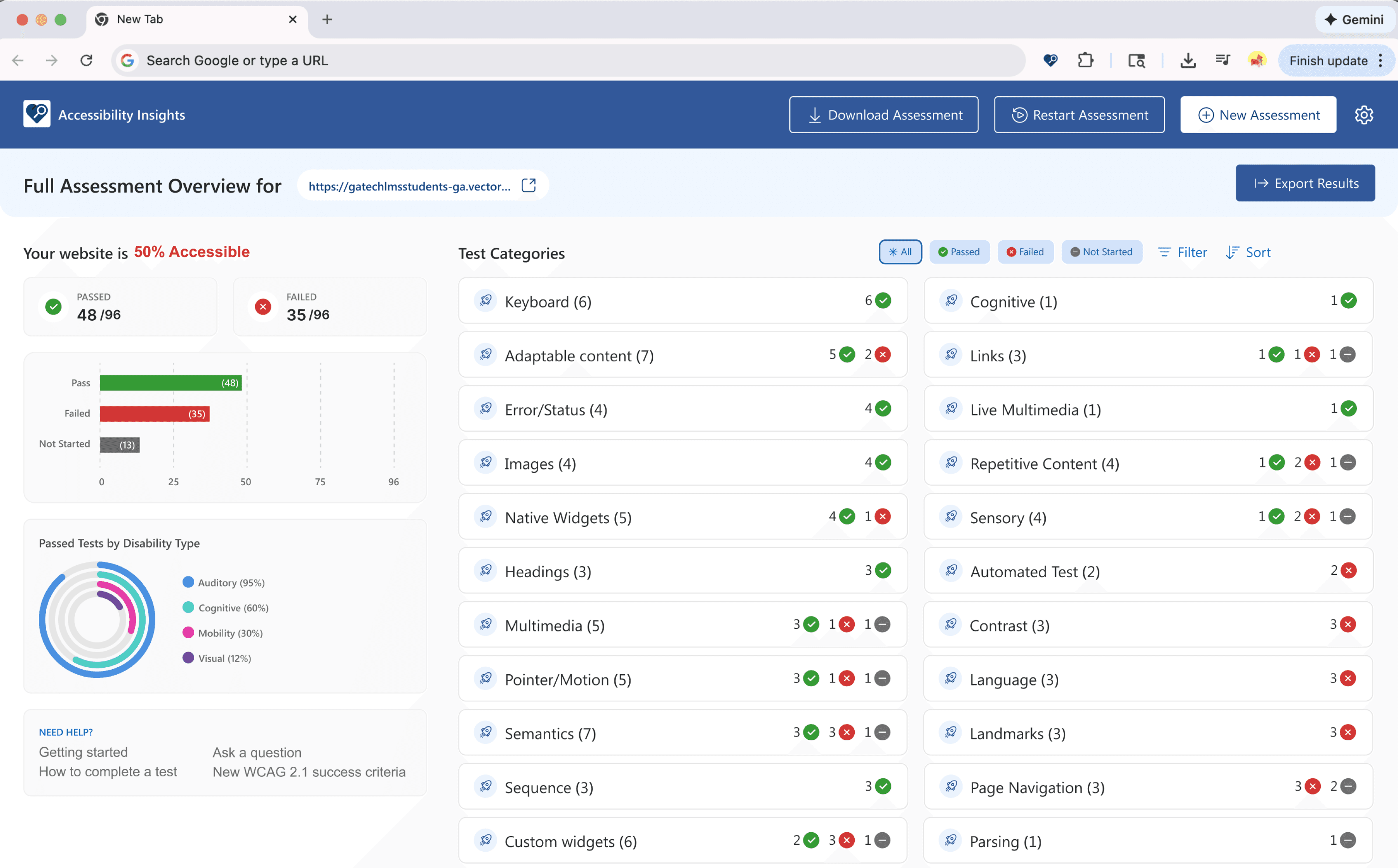
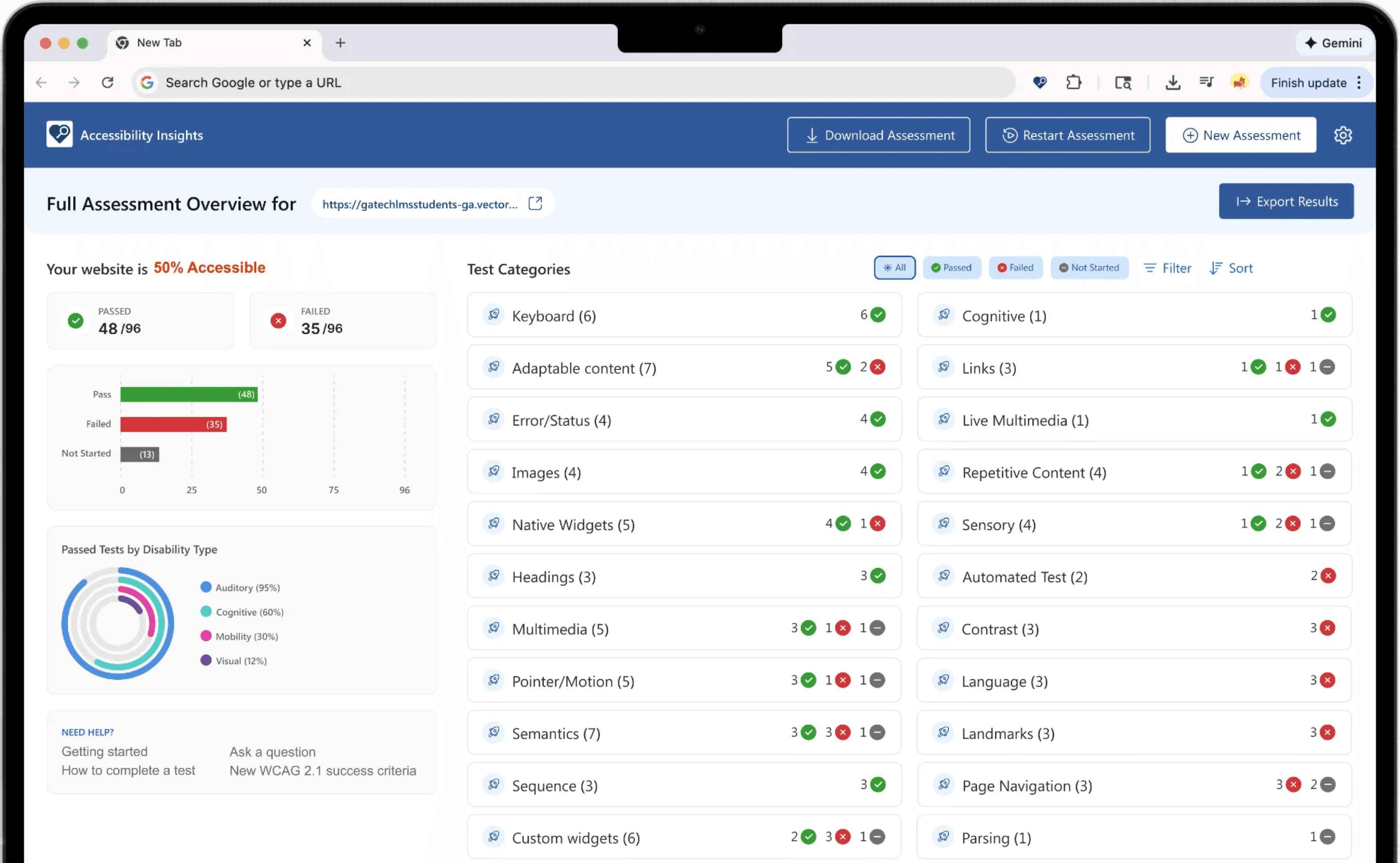
02 Dashboard Overview
Add a overview page during full assessment test such that developers could have insightsful guidance about test status, category and disability types.
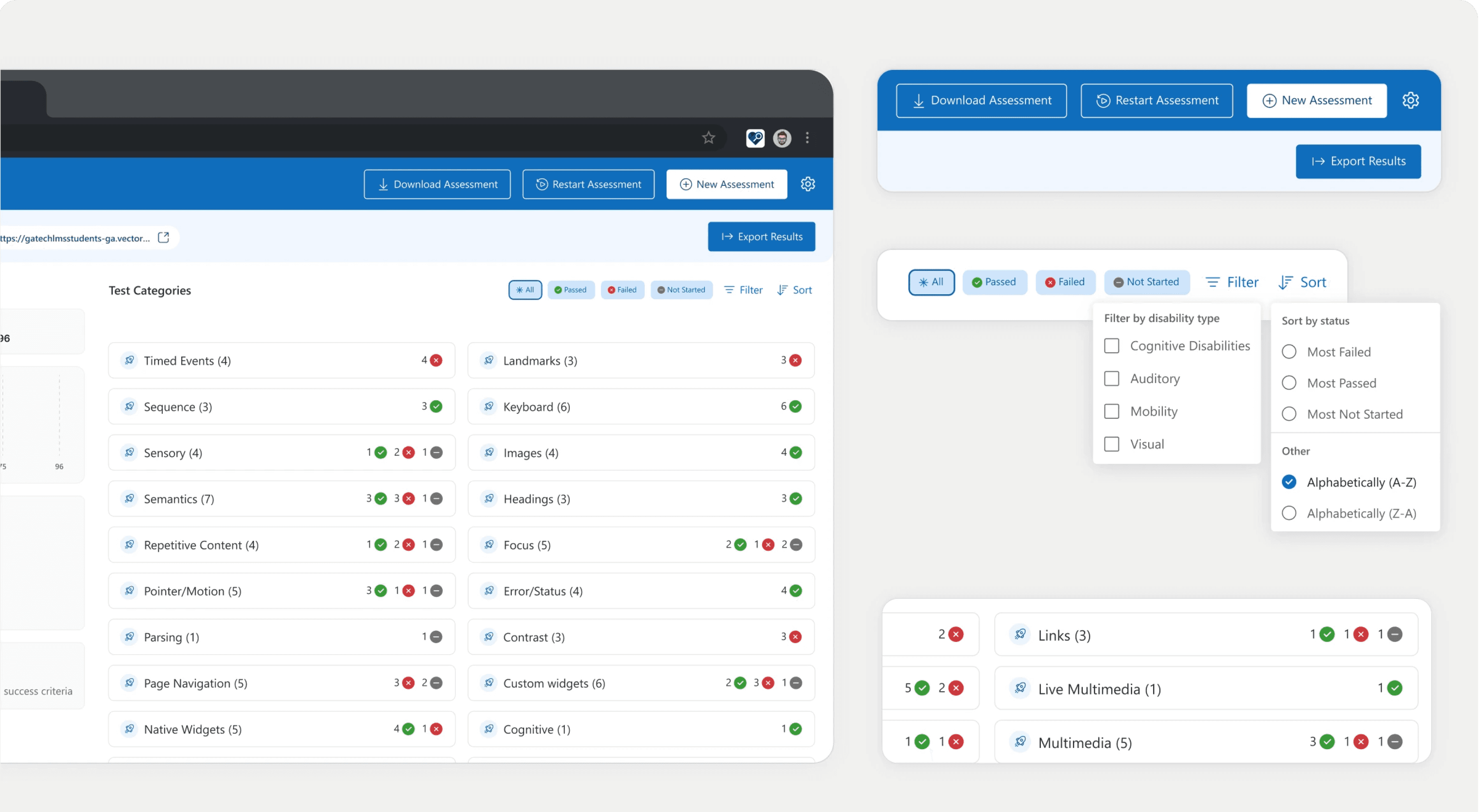
03 Filter and Sort System
Implement a filtering and sorting system that allows developers to sort tests by disability types—such as visual, auditory, cognitive or mobility—as well as by pass/fail status.
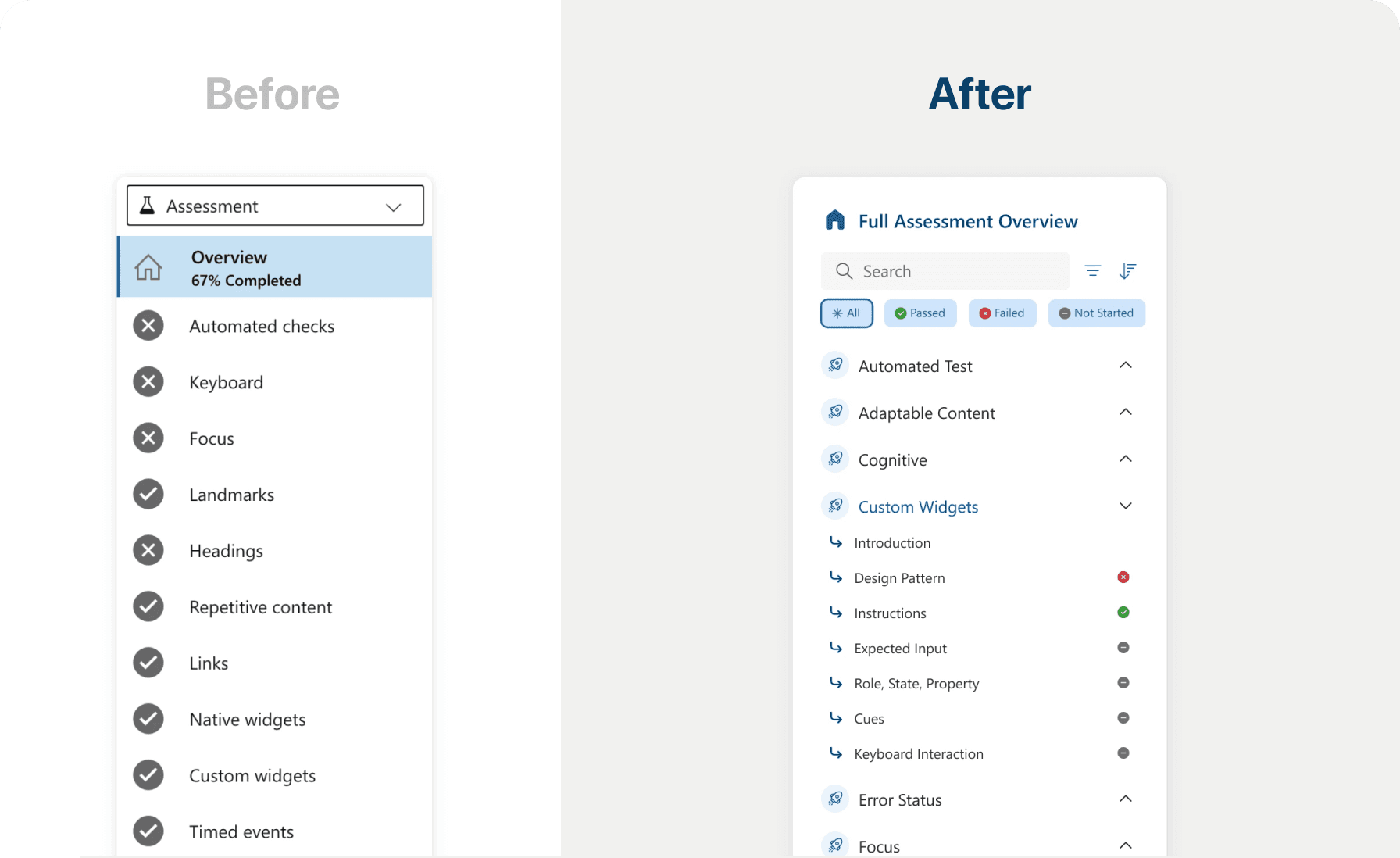
04 Navigation Bar Update
Allow sorting and filtering feature in the navigation bar and include a sub-level test status differentiation (pass/fail/not started) under each test category
Learnings
This was a complex project in its technical depth, where there was a lot to bridge about accessibility standards.
WCAG 2.2 Integration
I mastered the translation of complex WCAG 2.2 guidelines into actionable design requirements, ensuring accessibility compliance was baked into the project from the start.
Technical Accessibility Architecture
I deepened my understanding of how Semantic HTML and ARIA attributes intersect to create a logical, predictable structure that assistive technologies can navigate effectively.
Developer-Centric Handoff
I refined my ability to document clear "HTML paths," providing developers with a technical roadmap that streamlines the implementation and testing of accessible components.